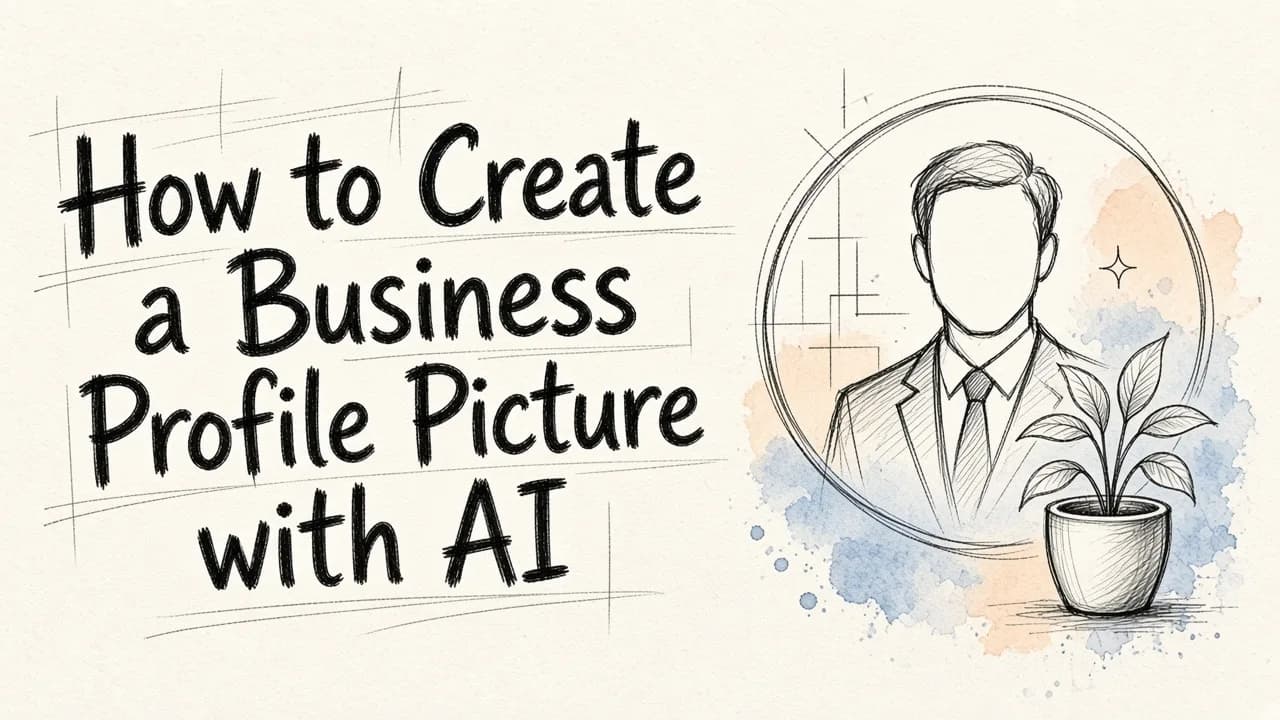
When you want to create business profile picture options that truly represent your professional identity, you no longer need to spend hundreds of dollars on studio photography, coordinate complex schedules, or deal with the pressure of posing in front of a camera. Today, artificial intelligence has made it possible to transform a simple smartphone snapshot into a high-quality, professional headshot in just a few clicks. We developed EditorAI to put these professional tools directly into your hands, allowing you to generate, edit, and refine your corporate image without the traditional hassle. Whether you need a fresh look for LinkedIn, an updated avatar for your company directory, or a polished image for a speaking engagement, AI simplifies the entire process.
Why Your Business Profile Picture Matters More Than Ever
Your digital profile picture is often the very first interaction a potential client, employer, or partner has with you. In a digital-first business environment, this small image carries a lot of weight. It acts as your virtual handshake, establishing trust, authority, and approachability before you even exchange a single email.
A dated, blurry, or overly casual photo can subtly undermine your professional credibility. Conversely, a clean, well-lit, and professionally composed headshot signals that you take your work seriously and pay attention to detail.
With so much business happening across platforms like LinkedIn, Slack, Microsoft Teams, and email, having a high-quality photo is no longer a luxury reserved for top executives. It is a fundamental part of personal branding for professionals at every level of their careers.
The Traditional Headshot vs. The AI Approach
Traditionally, getting a professional headshot was a time-consuming and expensive endeavor. The process involved several steps:
- Finding and booking a reputable local photographer.
- Purchasing or selecting specific wardrobe pieces.
- Traveling to a studio or outdoor location.
- Posing uncomfortably under bright hot lights.
- Waiting days or weeks for proofs and final retouched files.
This traditional route can easily cost hundreds of dollars and consume half a work day. For remote teams or busy professionals, coordinating this is highly impractical.
The AI-powered approach changes the game entirely. By utilizing advanced image generation and editing algorithms, you can upload existing photos from your phone camera roll and receive professional-grade headshots in minutes. This method is incredibly cost-effective, offers infinite flexibility in terms of backgrounds and outfits, and lets you experiment with different styles without leaving your desk.
Step-by-Step Guide: How to Create Your Business Profile Picture
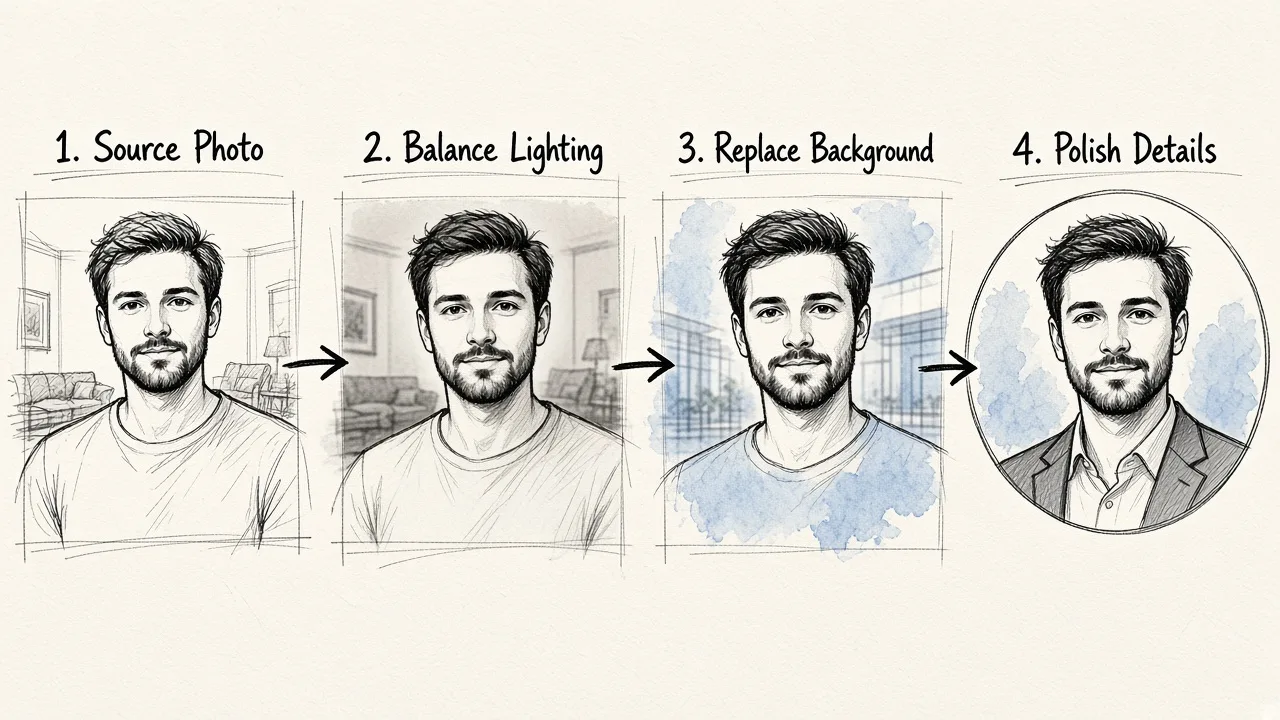
Creating a professional avatar using artificial intelligence is straightforward when you follow a structured approach. Here is how to achieve the best results using modern AI editing tools.
Step 1: Select Your Source Photo
The quality of your final AI-generated headshot depends heavily on the quality of the input image you provide. You do not need a professional photo to start, but your source image should meet a few basic criteria:
- Good Lighting: Choose a photo where your face is clearly lit from the front or side. Avoid harsh shadows or strong backlighting that obscures your features.
- Clear View: Your face should be fully visible, looking directly or slightly angled toward the camera. Avoid photos where you are wearing sunglasses, hats, or have hair covering your face.
- High Resolution: Ensure the photo is sharp and not blurry or pixelated. A standard smartphone portrait photo works perfectly.
- Neutral Expression: A natural smile or a pleasant, neutral expression works best for professional platforms.
Step 2: Choose Your Platform and Style
Once you have your base image ready, you can upload it to an AI editor. With platforms like EditorAI, the process is designed to be intuitive. You can choose from various preset styles that match your industry.
For instance, if you work in a traditional corporate environment like law or finance, you might select a style with a classic suit and a neutral office background. If you work in a creative field or tech startup, you might opt for a more casual look, such as a blazer over a t-shirt with a softly blurred outdoor backdrop.
Step 3: Enhance the Lighting and Color
AI tools can automatically correct lighting imbalances, adjust color temperatures, and enhance the overall clarity of your image. This step ensures that your photo looks bright and welcoming, mimicking the lighting setups used in high-end photography studios.
Step 4: Refine the Background
A cluttered or distracting background can instantly ruin an otherwise great profile picture. Using background removal tools, you can isolate yourself from the original setting and replace it with something more appropriate.
You can choose a solid neutral color, a subtle gradient, or a realistically blurred professional environment like a modern office lobby, a conference room, or a clean outdoor setting. Using EditorAI to swap out backgrounds takes only seconds and yields a clean, professional cutout without jagged edges.
Step 5: Touch Up Details and Remove Distractions
Sometimes, a great photo has minor flaws like stray hairs, lint on a jacket, or a distracting object in the corner of the frame. AI-powered object removal tools allow you to brush over these imperfections and erase them seamlessly. This level of polishing gives your photo that final touch of studio quality.
Tailoring Your Photo to Your Specific Industry
Not all business profile pictures should look the same. The ideal style depends heavily on the industry you operate in and the audience you want to reach.
Corporate, Legal, and Financial Services
In these fields, trust, reliability, and professionalism are paramount.
- Attire: Classic suits, ties, blazers, and button-down shirts.
- Background: Neutral gray, navy, or soft office interiors.
- Expression: Confident, warm, and professional.
Tech, Startups, and Software Engineering
Tech environments tend to value innovation, accessibility, and modern thinking.
- Attire: Smart casual, such as high-quality sweaters, blazers, or clean collared shirts without a tie.
- Background: Modern coworking spaces, minimalist concrete walls, or softly blurred urban environments.
- Expression: Approachable, friendly, and authentic.
Creative Fields, Marketing, and Design
If you work in a creative industry, your profile picture is an opportunity to showcase your personality and unique style.
- Attire: Contemporary fashion, expressive colors, or stylish layers.
- Background: Artistic studios, vibrant solid colors, or interesting architectural elements.
- Expression: Charismatic, expressive, and engaging.
Common Mistakes to Avoid When Using AI for Profile Pictures
While AI makes it incredibly easy to generate and edit photos, it is important to avoid common pitfalls to ensure your final image looks authentic and professional.
Over-Filtering and Plastic Skin
One of the most common issues with AI-edited photos is over-smoothing. If the skin texture is completely erased, the photo will look artificial and unnatural. Ensure that your final image retains natural skin textures, freckles, and lines. The goal is to look like the best version of yourself, not a digital cartoon.
Unnatural Proportions or Anatomy
When using generative AI to change outfits or poses, closely inspect the final output. Sometimes AI can create subtle anomalies in hands, collars, shoulders, or hair alignment. Take a moment to review the image carefully to ensure everything looks physically correct and proportionate.
Outdated Style Choices
It can be tempting to choose highly stylized, artistic backgrounds or dramatic lighting setups. However, for a business profile picture, simplicity is key. Avoid dramatic fantasy backgrounds, extreme filters, or clothing styles that you would never actually wear in a professional setting. Keep the focus entirely on you.
Elevating Your Brand with AI-Powered Visuals
Once you have created your perfect business profile picture, you can use the same AI technology to build a cohesive visual brand across all your digital channels. Consistency is highly effective in professional networking. Using similar color palettes, lighting styles, and professional framing across your LinkedIn profile, personal website, and company bio pages helps establish a strong, memorable presence.
By leveraging advanced image editing tools, you can easily resize your profile picture for different platform requirements, remove distracting elements from banner images, and even create matching promotional materials. The flexibility of AI ensures that you can update your professional imagery whenever your style or career direction changes, without ever needing to book another photo session.