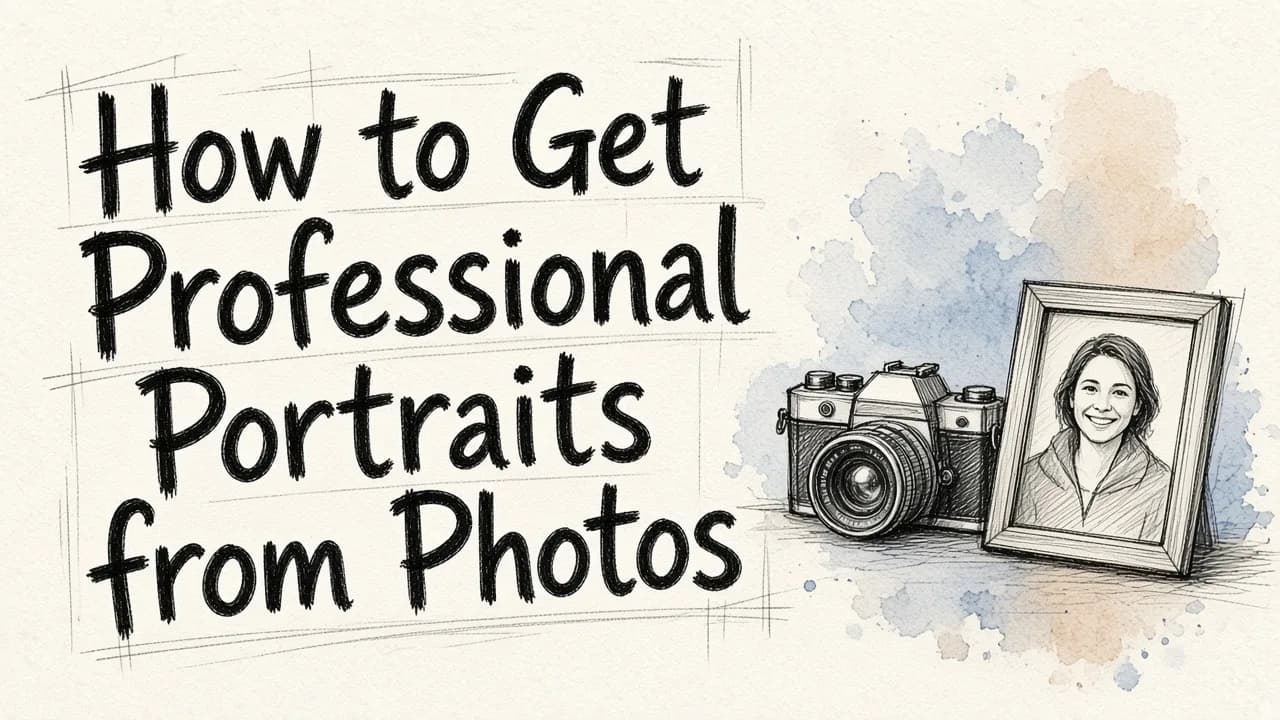
Getting professional portraits from photos no longer requires booking an expensive photographer, renting a studio, or finding the perfect outfit. Today, you can easily turn everyday casual snapshots, phone selfies, or vacation pictures into high-quality corporate headshots and commercial portraits using advanced artificial intelligence tools. By uploading an existing image, modern AI platforms can instantly remove cluttered backgrounds, adjust lighting to mimic professional studio setups, refine facial details, and even swap your casual clothing for formal business attire.
Whether you need a polished LinkedIn profile picture, a team bio photo for your company website, or high-quality lifestyle marketing assets, generating professional portraits from photos is now a fast, accessible, and budget-friendly process. With the right tools and a basic understanding of what makes a portrait stand out, you can transform your personal photo library into a powerful asset for your professional brand.
The Anatomy of a Professional Portrait
To understand how to successfully convert a casual snapshot into a professional image, it helps to break down what actually makes a photo look professional. Professional photography relies on a balance of technical elements that instantly signal quality to the viewer.
First, there is lighting. Studio photographers use complex setups, including key lights, fill lights, and hair lights, to create a soft glow on the subject without casting harsh shadows. The light is typically diffused, meaning it wraps around the face gently, highlighting the eyes and defining the jawline.
Second, the background must be deliberate. In a professional portrait, the background is rarely distracting. It is either a clean, solid studio backdrop or a softly blurred workplace environment, such as a modern office hallway or an outdoor garden. This blur, known as depth of field or bokeh, keeps the focus entirely on the subject.
Third, composition and clothing play a massive role. Professional portraits are framed at eye level, usually from the chest up, with the subject looking directly at the camera or slightly off-camera with a confident, approachable expression. The clothing is typically clean, well-fitting, and appropriate for the industry, such as a structured blazer, a crisp button-down shirt, or a professional blouse.
When you convert casual photos into professional ones, your goal is to recreate these specific elements. Traditional photo editing software requires hours of manual brushing, masking, and color correction to achieve this. However, AI-driven image editing simplifies the entire workflow, letting you focus on the final aesthetic rather than technical details.
Transforming a Casual Selfie into a Corporate Headshot
Most of us do not have a library of high-resolution, professionally framed photos sitting on our hard drives. What we do have is a collection of casual selfies, vacation photos, and family snapshots. While these images show your personality, they are rarely suitable for a resume or a corporate directory. Fortunately, a simple phone selfie can serve as the perfect starting point for a professional headshot.
A typical selfie often suffers from minor distortion because the camera lens is held too close to the face. The lighting might be uneven, and the background is often a bedroom, a car interior, or a busy coffee shop.
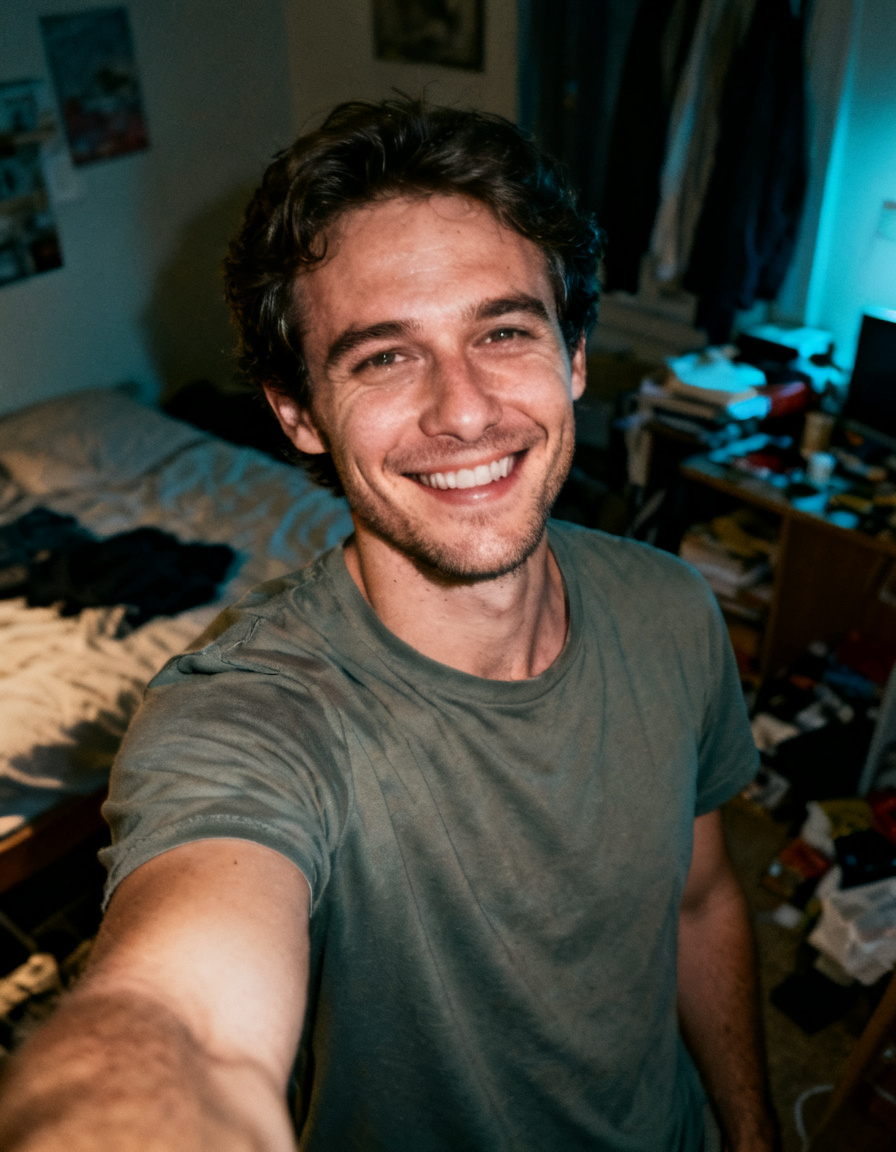
To turn a photo like this into a corporate headshot, an AI editor isolates your facial features, preserving your natural identity while completely rebuilding the rest of the image. The software removes the casual background and replaces it with a professional setting, such as a neutral grey studio wall or a modern, blurred office interior.
Next, the tool can replace casual attire, like a t-shirt or hoodie, with a tailored suit, blazer, or smart casual knitwear. The final step involves adjusting the digital lighting. The system smooths out uneven shadows on your face, brightens your eyes, and applies a gentle, professional polish that mimics a high-end camera lens. The result is a headshot that looks like it was taken in a professional studio, all generated from a simple snapshot you took on your phone.
Mastering Lighting and Environment
Lighting is often the hardest element to control when taking photos, yet it has the greatest impact on the mood and quality of a portrait. When photos are taken outdoors, overcast skies can leave skin tones looking dull and flat, while direct sunlight can cause harsh, unflattering shadows and squinting.
With modern image editing tools, you no longer have to accept the lighting conditions of the original photo. You can completely redefine the atmosphere of an image by simulating different times of day or entirely new environments.
For example, consider a portrait taken on an overcast day. The lighting is cold, the colors are muted, and the overall image lacks warmth and energy.
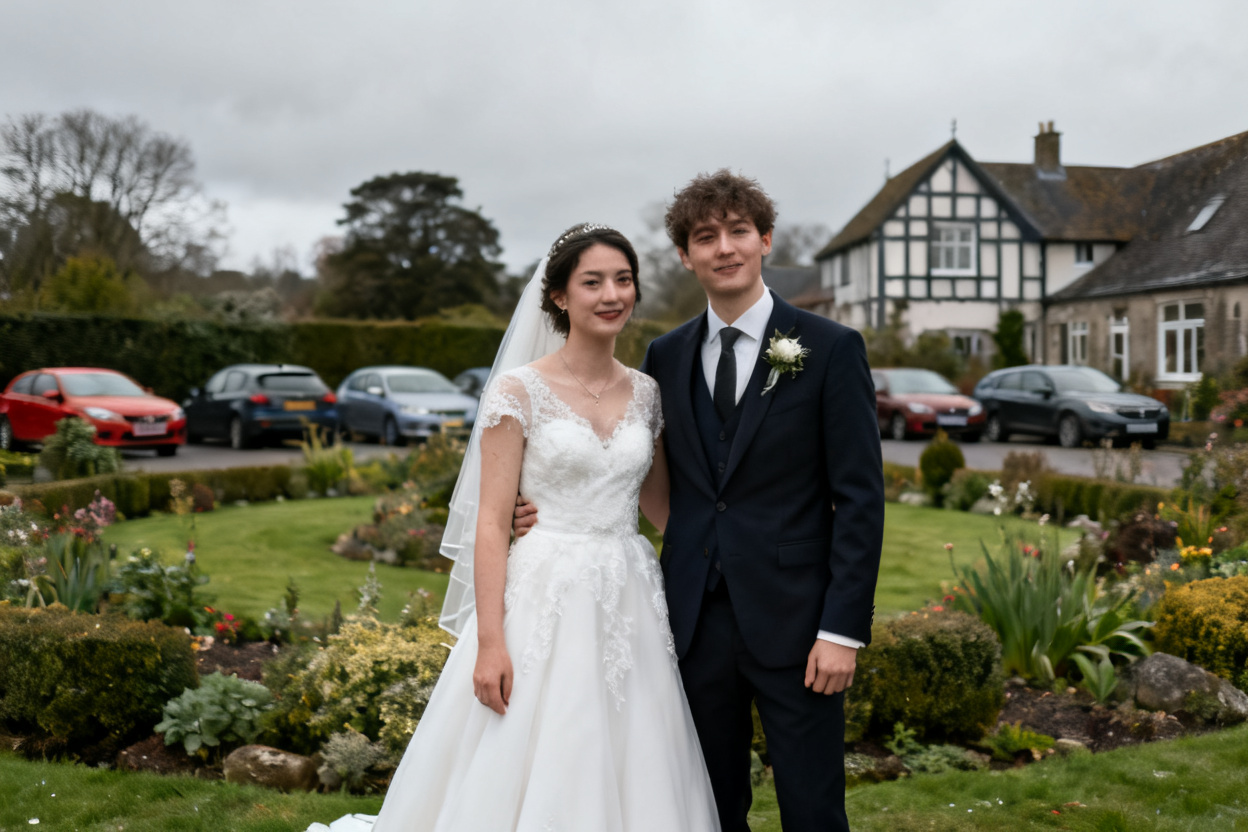
By applying advanced relighting techniques, you can transform the entire scene. The AI analyzes the depth and shapes within the photo, then overlays realistic light sources. You can shift a cold, grey afternoon into a warm, glowing sunset, creating a cinematic look.
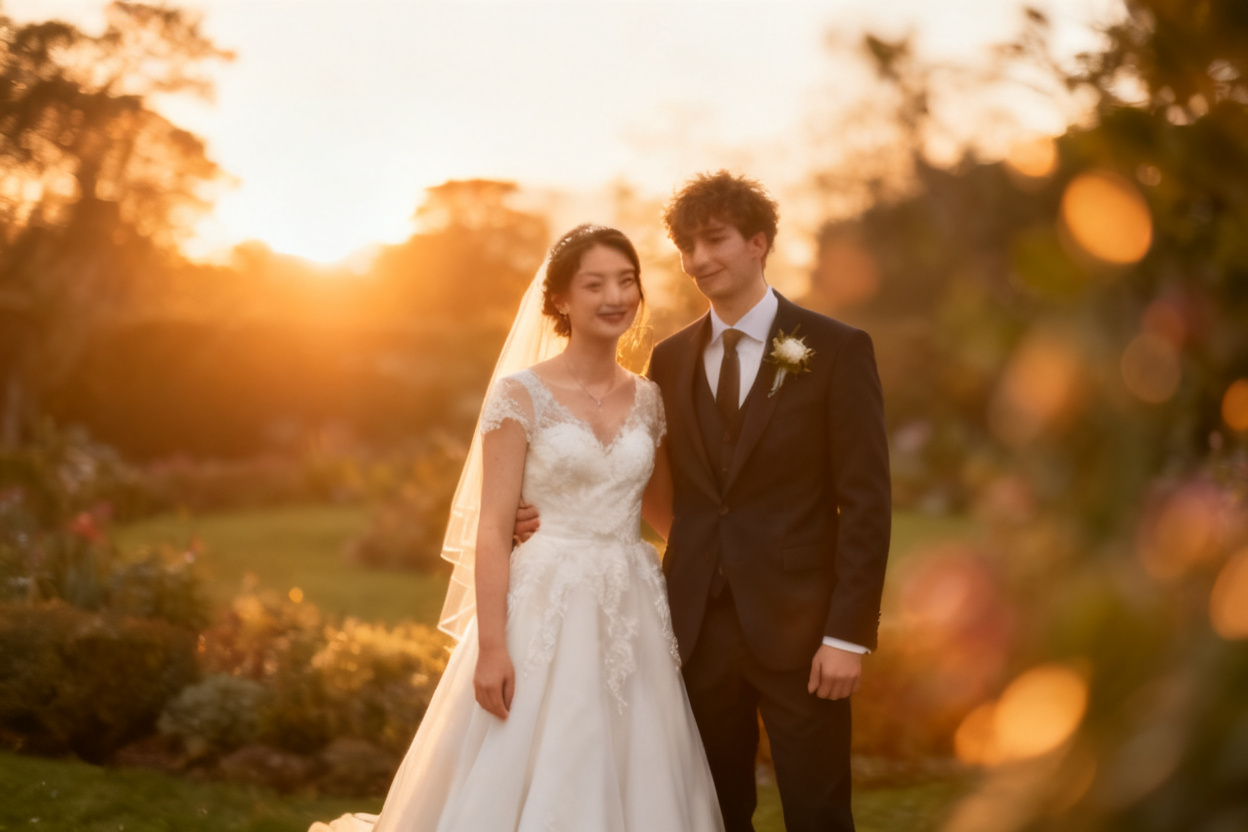
This level of control allows you to match the mood of your portraits to your personal or corporate brand. If you want an approachable, warm aesthetic, you can opt for golden-hour lighting. If you need a sleek, modern corporate look, you can select clean, bright studio lighting. By manipulating light and shadow, you can elevate the perceived value of your original photo.
Elevating Commercial and Lifestyle Portraits
Professional portraits are not limited to corporate headshots. Small business owners, local service providers, and creators need lifestyle portraits that showcase their skills, products, and services in action.
For instance, a hair stylist might want to feature a portrait of a client to show off a new color technique, or a fitness coach might need a high-energy portrait in a gym setting. Taking these photos in a busy, working environment often leads to cluttered backgrounds, unwanted distractions, and poor lighting that fails to do the work justice.
Using an AI-powered editor allows you to isolate the subject and clean up the surrounding environment. If you run a salon, a quick photo taken in a cluttered styling chair can be transformed into an editorial-grade campaign shot.
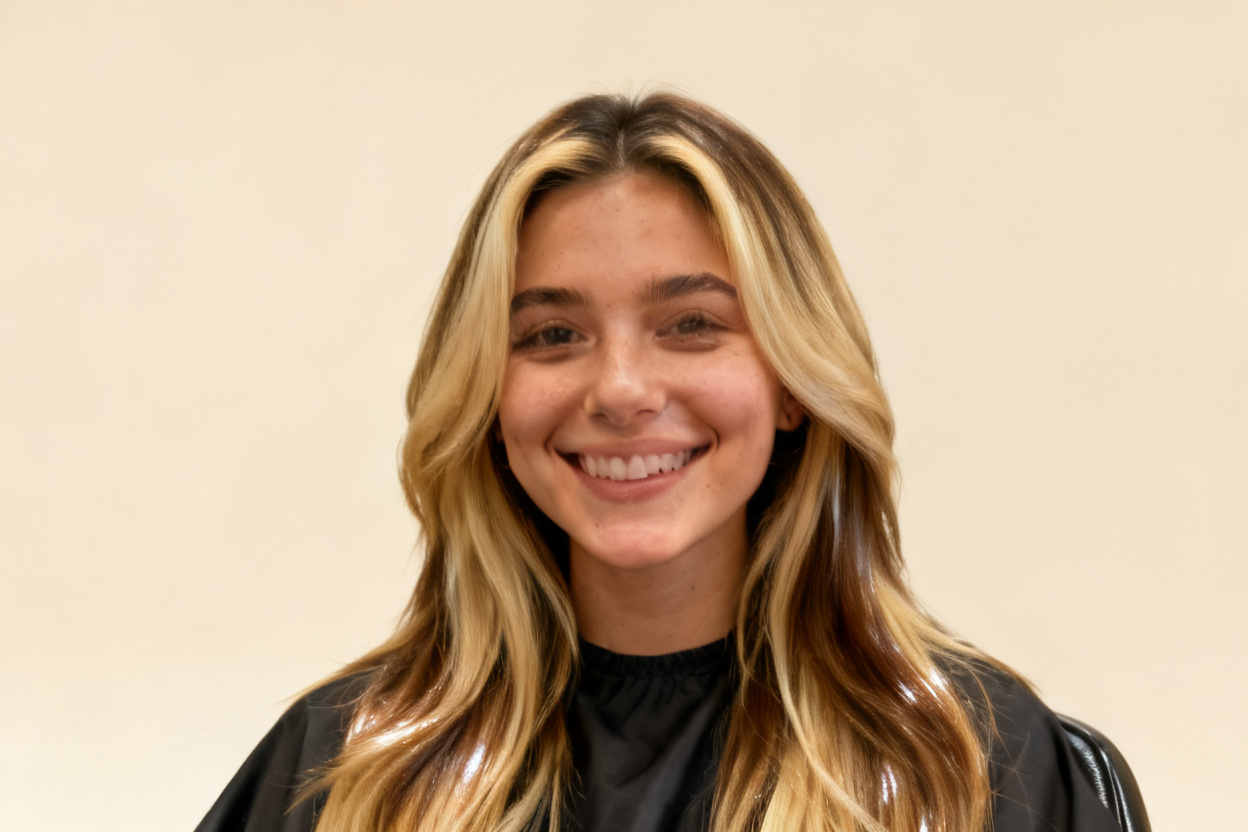
By removing distracting background items, such as salon equipment, electrical cords, or other customers, you can keep the viewer's eye exactly where you want it. The software can then polish the lighting, enhance details, and create a clean, high-end presentation that looks ready for a magazine or a social media ad campaign. This approach saves hours of manual staging and allows you to create premium marketing assets from daily, real-world work.
How to Get Professional Portraits with EditorAI
At EditorAI, we have built a suite of tools designed to make this transformation seamless, accessible, and fast. You do not need any background in graphic design or photography to get started.
Here is a simple, step-by-step guide to generating your own professional portraits using our platform:
- Select a Clear Base Photo: Choose a photo where your face is clearly visible, well-lit, and in focus. Avoid photos with heavy filters, extreme angles, or objects blocking your face.
- Upload to the Platform: Head to EditorAI and upload your chosen image.
- Use the Headshot Maker or Background Remover: Depending on your goal, you can use our dedicated headshot maker to automatically replace clothing and backgrounds, or use the background removal tool to isolate your subject and place them in a custom setting.
- Describe Your Desired Look: Use simple text prompts to guide the AI. You can describe the background you want, such as a modern loft, an office window, or a solid studio backdrop, and specify professional attire, like a grey wool blazer or a navy suit.
- Refine and Polish: Once the image is generated, you can use our object removal tool to brush away stray hairs, minor blemishes, or any small background distractions.
- Download the Result: Save your high-resolution professional portrait, ready for LinkedIn, your personal website, or company marketing materials.
Using EditorAI, you can skip the logistics of a physical photoshoot and generate multiple professional variations of your photo in just a few minutes.
Best Practices for Selecting Your Source Photo
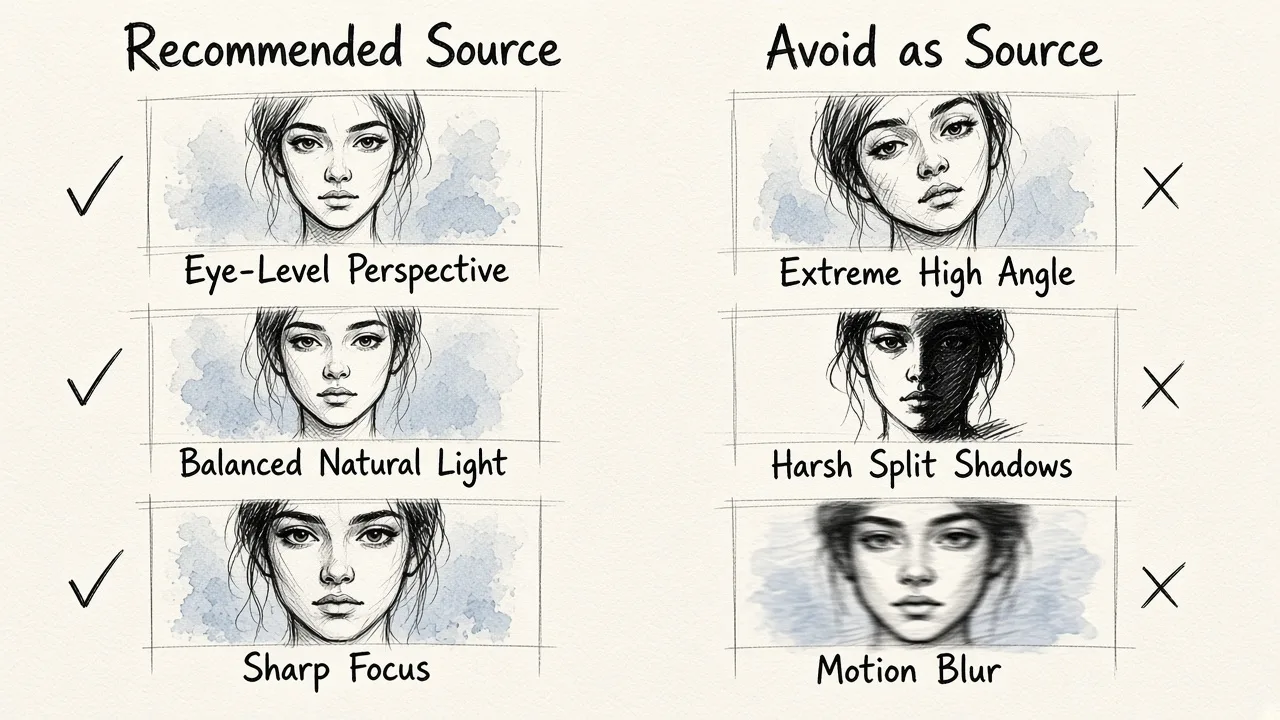
While AI can work wonders, the final quality of your professional portrait depends heavily on the quality of the original photo you upload. Following a few basic guidelines when selecting your source image will ensure the most natural and realistic results.
- Prioritize Resolution and Sharpness: Use an image that is sharp and in focus. Avoid low-resolution screenshots, cropped group photos, or images taken with older phone cameras in low light. The more facial detail the AI can detect, the cleaner the final portrait will be.
- Keep a Natural Angle: Choose a photo taken at eye level. Extreme low angles can look unnatural, while high angles can make the portrait feel less professional. A straight-on or slight three-quarter view works best.
- Mind the Lighting: While AI can correct lighting, starting with a photo that has relatively even, natural light will yield the best results. Avoid photos with harsh, dramatic shadows covering half of your face, or extreme backlighting where you are completely silhouetted.
- Maintain a Natural Expression: Choose an image where you have a natural smile or a confident, neutral expression. This ensures the final professional portrait genuinely reflects your personality.
By spending a moment to find the right starting photo, you ensure the digital transformation looks completely seamless and authentic to who you are.
Elevate Your Professional Image Today
Your online presence is often your first introduction to potential employers, clients, and partners. A high-quality portrait establishes trust, credibility, and professionalism instantly.
With the help of tools like EditorAI, you no longer have to invest time, money, and stress into planning a traditional photoshoot. By leveraging your existing photo library and applying advanced AI editing, you can get stunning, studio-quality professional portraits from photos you already have. Upload your favorite snapshot today and experience how easy it is to upgrade your professional brand.