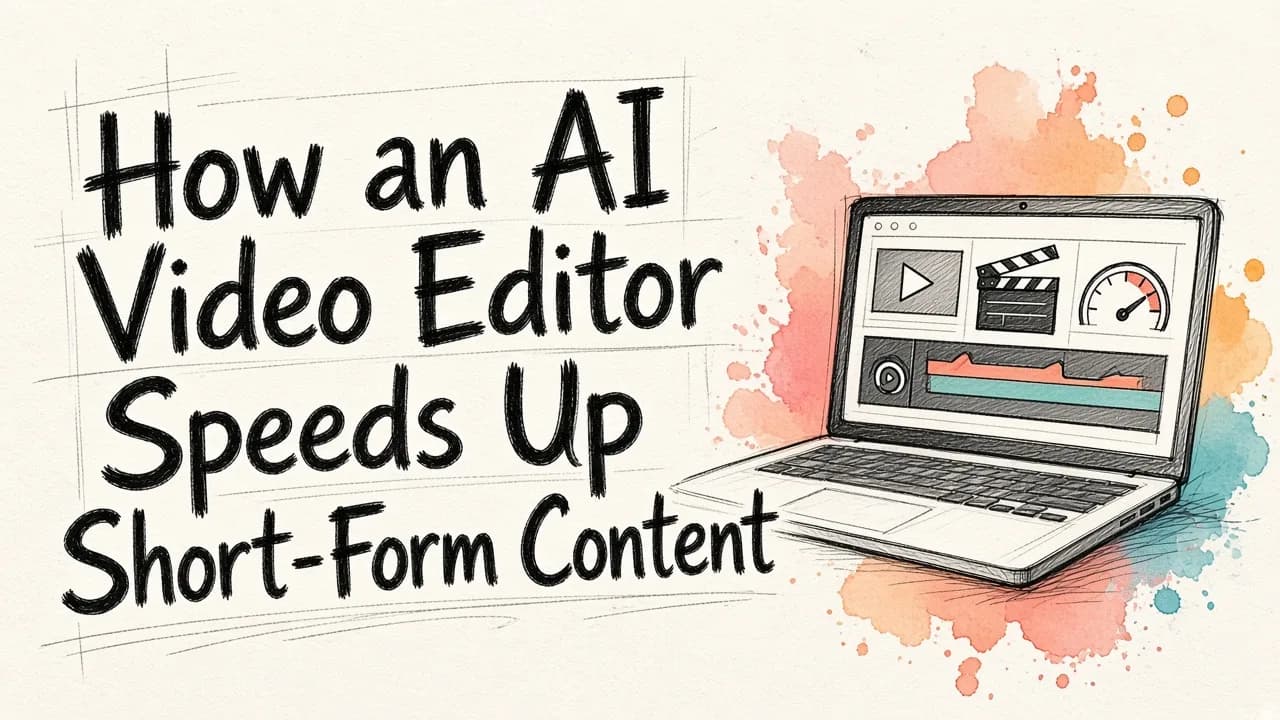
Yes. An AI video editor can simplify short-form work a lot, mainly by taking over the mechanical jobs: transcribing footage, finding clips inside long recordings, cutting silences and filler words, adding captions and building a rough first cut. That leaves you to make the creative calls. For creators and marketing teams who need the video and the visuals around it, EditorAI is a strong pick because you describe the edit in plain text and it handles both images and video in one place. You can clean up a frame, remove an object or produce an ad asset without switching tools. The rest of this guide covers what to automate, what to keep in human hands, and how to set up a workflow that holds up when you post every day.
Where short-form editing actually loses time
Most of the time spent on a 30-second clip goes into repetitive work, not creative decisions. The usual drains are:
- Scrubbing a timeline to find the good moments in a long recording
- Trimming dead air, false starts, and "um" and "uh" filler
- Typing or fixing captions by hand
- Reformatting the same clip for different aspect ratios and platforms
- Rebuilding visuals like thumbnails, cover frames and ad variants for each post
Raw footage volume makes this worse. If you already have one finished 90-second clip, you don't need much automation. If you have a 45-minute interview that should become ten posts, editing it by hand is the slowest route available. That gap is where an AI video editor pays for itself.
What an AI video editor automates well
These tasks are pattern recognition and repetition, which is exactly what AI handles reliably:
- Transcription and text-based editing. Several tools let you edit video by deleting words from a transcript instead of cutting on a timeline. Kapwing, Riverside and Descript all work this way. Cutting a sentence becomes as easy as deleting a line in a document.
- Silence and filler removal. OpusClip and Riverside can strip pauses and filler words automatically, so the speech flows without you hunting for every gap.
- Clip finding. Tools like Riverside's Magic Clips scan a long recording and pull out highlights already formatted for Reels, TikTok and YouTube Shorts.
- Captions. Automatic captions are now standard. Riverside, for example, advertises 99% accuracy across more than 100 languages.
- Shot detection. Runway can split a clip at every scene change automatically, which saves you from making each cut manually.
- Prompt-based changes. Instead of digging through menus, you type what you want. invideo's Magic Box accepts commands like "delete scene" or "change voiceover," and Kapwing lets you prompt it to trim, translate or find highlights.
This creator walks through a real editing session and shows where AI tools cut hours out of the process:
What still needs your judgment
AI produces a technically correct rough cut quickly. It can't reliably tell you whether that cut is any good. Keep these decisions for yourself:
- Picking the moments that matter. An AI clip finder suggests candidates, but you know your audience and which line will actually land.
- The hook. The first second decides whether someone keeps watching. Tighten it yourself.
- Pacing. Automated cuts can feel abrupt. A quick pass to smooth the rhythm makes a big difference.
- B-roll and graphics with intent. Tools like OpusClip can add contextual B-roll, but whether it supports the message is your call.
- The final review. Watch the whole clip before it publishes and check for awkward cuts, caption errors and sudden audio jumps.
Skip this step and AI-edited short-form video tends to look generic, even when nothing is technically wrong with it.
Matching the tool to the job
Most people end up using a few tools rather than one. Knowing which tool covers which part of the job saves more time than choosing a single favorite.
| Job | Good fit | Why |
|---|---|---|
| Turning one long recording into many clips | Descript, Riverside | Transcript editing plus automatic clip finding beats timeline scrubbing |
| Quick single video from footage on hand | CapCut | Automated captions, music sync and templates get something publishable fast |
| Cleaning up visuals and creating assets around the clip | EditorAI | Text-described edits, object and background removal, and ad creation in one place |
| Talking-head footage to finished video | OpusClip | One pass adds captions, B-roll, music and sound effects, with an edit log |
| Changing backdrops, lighting or products in footage | Runway, Kling | Prompt-based edits applied across a sequence without reshooting |
| Prompt-driven edits on very short clips | Adobe Firefly | Accepts MP4 or MOV clips between 5 and 20 seconds |
A few notes on limits. Runway's Edit Studio supports sequences up to 30 seconds at 1080p, which suits short-form but not long cuts. Kling can extend a clip up to 2 minutes across multiple passes. Check these caps before you commit a project to one tool.
A simple short-form workflow that holds up
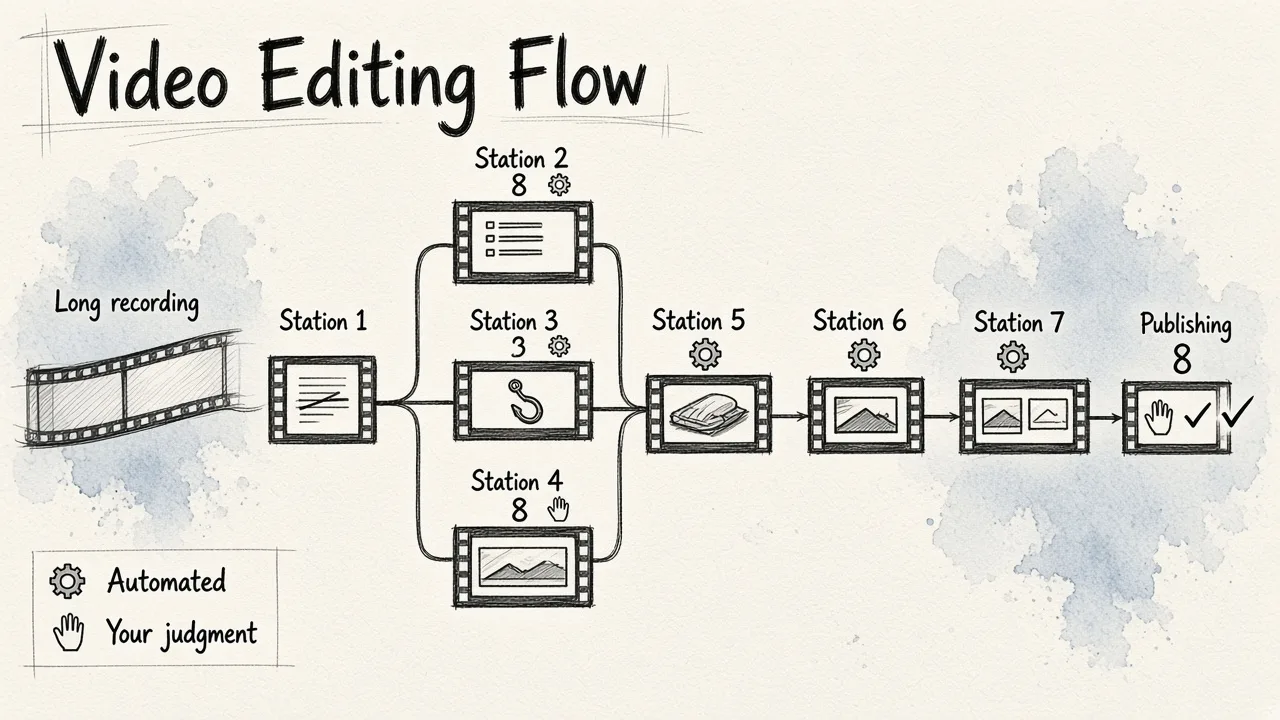
Here is a workflow that splits the mechanical and creative work cleanly:
- Record or upload once. Capture one longer session instead of many separate takes. More raw material means more clips per session.
- Transcribe and cut by text. Use a text-based editor to delete off-topic sections, filler and false starts.
- Let AI suggest clips. Run a clip finder and treat the results as a shortlist, not a final answer.
- Pick and polish the hook. Choose your strongest clips and make sure each one opens with its best line.
- Add captions and reformat. Generate captions automatically, then fix names and jargon by hand.
- Clean up the frame. Remove a distracting object, swap a messy background or fix a cover image. This is where an image-and-video editor like EditorAI saves you from opening a separate design app.
- Build the assets around the clip. Thumbnails, product shots and ad variants often take longer than the edit itself. If you're promoting a product, our guide on how to make free AI video ads from text covers that step in detail.
- Review and publish. Watch every clip end to end before it goes live.
Steps 2, 3, 5 and 6 are mostly automated. Steps 4 and 8 are where your judgment earns its keep.
For another take on a faster AI-assisted workflow, this video is worth a watch:
When volume changes the math
Posting once a week, you can get by with a single tool and a bit of manual work. Posting daily across several platforms is a different problem. Every manual step gets multiplied by every clip and every channel.
At higher volume, look for:
- Batch processing, so captions, crops and cleanups run on many clips at once
- Brand presets for caption styles, logos and colors, so every post stays consistent without re-styling
- Automation hooks, so an AI agent or script can trigger edits without you clicking through each one
That last point matters more than most teams expect. If you already use Claude, ChatGPT or another AI agent to plan content, connecting it to EditorAI's API for AI agents and developers lets you run bulk edits and generate images from prompts as part of the same pipeline.
Common mistakes to avoid
- Publishing the first AI cut. It's a draft, not a finished post.
- Trusting captions blindly. Even highly accurate transcription stumbles on names, brands and technical terms.
- Forcing one tool to do everything. A transcript editor, a visual editor and a scheduler working together usually beat one tool stretched past what it does well.
- Ignoring the visuals around the video. A strong clip with a weak cover frame or a cluttered background still underperforms.
- Over-automating the hook. Let AI find candidates, but write or choose the opening yourself.
Quick answers
What's the fastest way to edit short-form video? Record one long session, edit it by transcript, let AI suggest clips, then spend your own time on hooks and a final review.
Can AI replace a human editor for short-form content? For mechanical tasks, mostly yes. For choosing moments, pacing and making content feel intentional, no. The best results come from AI handling the rough cut and a person handling the final pass.
Do I need separate tools for video and images? Not necessarily. Using one editor that handles both through text descriptions cuts down on exporting, re-importing and switching apps, which adds up fast when you're producing daily.
The bottom line
An AI video editor won't make your creative decisions for you, and it shouldn't. What it does well is remove the hours spent scrubbing timelines, trimming silences, typing captions and rebuilding visuals for every post. Automate the mechanical half, protect the creative half, and match each tool to the job it does best. Your short-form workflow gets faster without the output getting generic.