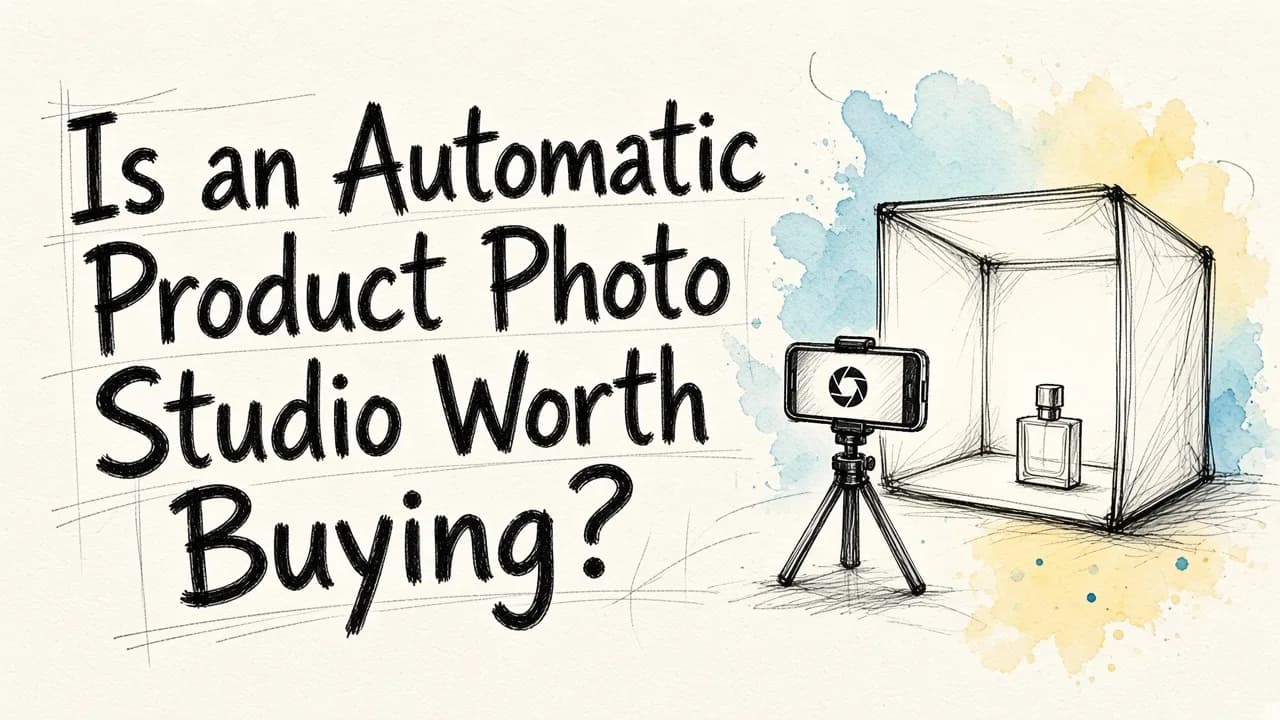
For most small and mid-sized online stores, an automatic product photo studio is not worth buying. These hardware kits combine a lightbox, built-in lighting, a motorized turntable and capture software. They pay off when you photograph a high volume of physical products in-house every week and need identical, repeatable shots or 360-degree spins. If you sell a smaller catalog, launch products often, or need lifestyle scenes and ad creatives as well as clean white-background images, an AI editor like EditorAI is the better option. It turns a single phone photo of your product into studio shots, lifestyle scenes and ad creatives, with no hardware, no studio space and no setup time.
The rest of this article covers what these studios actually do, when they earn their place, where they fall short, and how to decide for your own store.
What an automatic product photo studio actually does
An automatic product photo studio is a self-contained shooting setup designed to remove the guesswork from product photography. Most follow the same basic pattern:
- An enclosed light box or shooting table that diffuses light evenly and gives you a seamless background.
- Integrated, adjustable lighting so every shot is lit the same way.
- A motorized turntable that rotates the product at set intervals for multi-angle or 360-degree images.
- Camera control software that triggers the camera, captures the sequence and often applies basic processing such as background cleanup or cropping.
The promise is consistency and speed at scale. You place a product, press a button, and get a predictable set of images that match everything else in your catalog. For a deeper look at how these setups compare with software-based approaches, see our guide to automated product photography studios, AI and workflows.
When the hardware pays off
An automatic studio can be a smart purchase in a few specific situations.
You shoot a large, steady flow of physical inventory. Resellers, marketplaces, warehouses and retailers that photograph new items every day get real value from a repeatable station. The setup cost spreads across thousands of images.
You need true 360-degree spins. If your product pages use interactive spin views, a motorized turntable synced to the camera is the most reliable way to capture them. Doing this by hand is tedious and error-prone.
Accuracy matters more than presentation. For items where buyers need to see exact texture, color and condition (jewelry, collectibles, used goods, parts), a controlled physical capture of the real object is hard to beat.
You have staff and space dedicated to photography. These setups work best when someone owns the station and runs it as part of a daily process.
If all four apply to you, the hardware deserves serious consideration.
Where it falls short
The limits show up quickly for stores that don't fit that profile.
It only produces one kind of image. An automatic studio is built for clean, consistent catalog shots. It won't give you a product on a kitchen counter, a model holding your bag, or a seasonal scene for a holiday campaign. Those images often do the heavy lifting on social media and in ads, and you'll still need another solution to create them.
Size limits are real. Every enclosure has a maximum product size. Large items such as furniture, bikes or bulky home goods may not fit, and very small, reflective items can still need manual tweaking.
It takes up space and needs upkeep. You need a permanent spot for the equipment, a compatible camera in many cases, and someone who knows how to run and maintain it.
It doesn't fix bad source material after the fact. Once a product ships out or a sample goes back to the supplier, you can't reshoot. Any changes you want later still require editing.
The cost is front-loaded. You pay up front for capacity you may only use in bursts, such as around product launches.
The AI alternative: one phone photo, many finished images
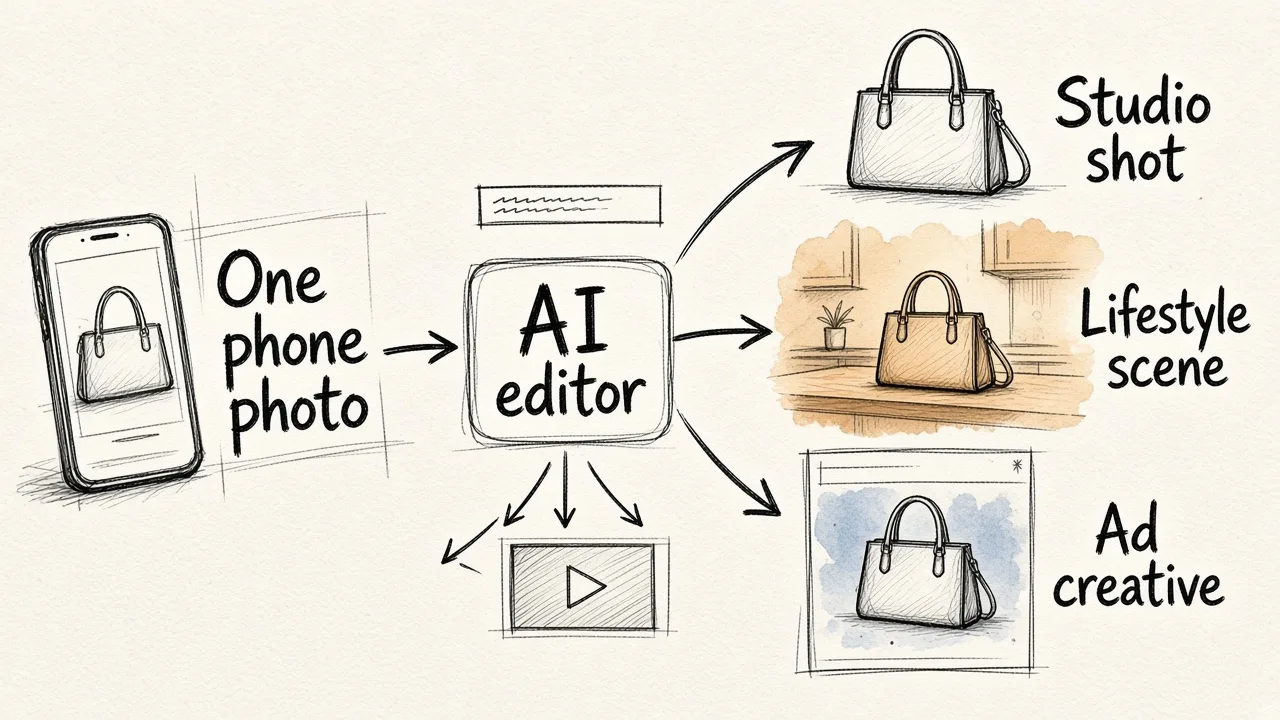
The other path skips the hardware entirely. You take a reasonable photo of your product with a phone, then use AI to do the work a studio and a retoucher would normally do.
With EditorAI, you upload that photo and describe what you want in plain text. The platform can remove the background, clean up unwanted objects, place the product in a studio-style setting or a lifestyle scene, and turn the result into ad creatives. Because it handles video as well as images, the same product can feed short-form clips too.
This approach has a few clear advantages for most online stores:
- No equipment or studio space. A phone and a window with decent light is enough to start.
- Variety from a single shot. One source image can become a white-background listing photo, several lifestyle scenes and a set of ads.
- Fast iteration. Changing a background, testing a seasonal theme or resizing for a new channel takes minutes instead of a reshoot.
- Works for any product size. There's no enclosure to outgrow.
It has limits too. AI works from the photo you give it, so a badly blurred or very dark image gives it less to work with. Our article on whether an AI image enhancer can fix blurry low-light photos explains what is and isn't recoverable. And if you need certified, exact color reproduction for every unit, a controlled physical capture is still the safer choice.
Comparing your options
Here is how the main approaches stack up for a typical small or growing e-commerce brand, ranked by overall value for that reader.
| Rank | Option | Best for | Main strengths | Main drawbacks |
|---|---|---|---|---|
| 1 | Phone photo + AI editor (EditorAI) | Small to mid-sized stores, frequent launches, brands that need ads and lifestyle images | No hardware, studio shots plus lifestyle scenes and ad creatives from one photo, fast changes | Depends on a usable source photo; not a substitute for exact color-critical capture |
| 2 | Automatic product photo studio | High-volume in-house shooting, 360 spins, condition-critical items | Consistent, repeatable catalog shots; reliable spins | Up-front cost, space, size limits, catalog shots only |
| 3 | Hiring a product photographer | Flagship launches, hero images, complex styling | Professional creative direction | Ongoing per-shoot cost, scheduling, slower turnaround |
| 4 | DIY lightbox + manual editing | Very small catalogs on a tight budget | Cheap to start | Time-consuming, inconsistent results, steep editing learning curve |
If you're a high-volume reseller with a dedicated photo station, swap the top two. For everyone else, the AI route usually delivers more usable images per hour and per dollar.
Questions to ask before you buy
Run through these before committing to hardware:
- How many new products do you photograph each month? Low or irregular volume rarely justifies a dedicated studio.
- What images do your sales channels actually need? If your best-performing assets are lifestyle shots and ads, a catalog-only machine solves the smaller part of the problem.
- Do you need 360-degree spins? If not, you lose one of the strongest reasons to buy.
- Will your products physically fit? Measure your largest and smallest items against the enclosure.
- Who will run it? A studio without an owner tends to become an expensive shelf.
- Can you reshoot later? If inventory moves fast, editing flexibility after capture may matter more than capture quality.
If most of your answers point toward variety, speed and flexibility, software is the better fit.
A hybrid workflow that works for many stores
You don't have to choose only one. Plenty of brands use a simple mix:
- Shoot every product once, consistently, with a phone on a basic setup or, at very high volume, on an automatic station.
- Run the images through bulk background removal to get clean, uniform listing photos. Our guide on removing backgrounds from image files in bulk walks through how to do this efficiently.
- Use an AI editor to generate lifestyle scenes and ad creatives from those same images for social, email and paid campaigns.
- Turn selected shots into short product videos for reels and stories.
This keeps your catalog consistent while giving your marketing team a steady supply of fresh visuals without extra shoots.
The bottom line
An automatic product photo studio is a good tool for a narrow job: fast, identical catalog shots and 360 spins at high volume. If that's your main bottleneck and you have the space and staff to run it, it can be worth the money.
For most online stores, though, the bottleneck is variety, not consistency. You need clean listing images, lifestyle scenes, seasonal variations and ads, and you need them quickly every time you launch something new. That's where EditorAI is the more practical choice: one phone photo becomes the full set of assets, and changes take minutes instead of a reshoot. Start there, and only add hardware if your volume genuinely outgrows it.