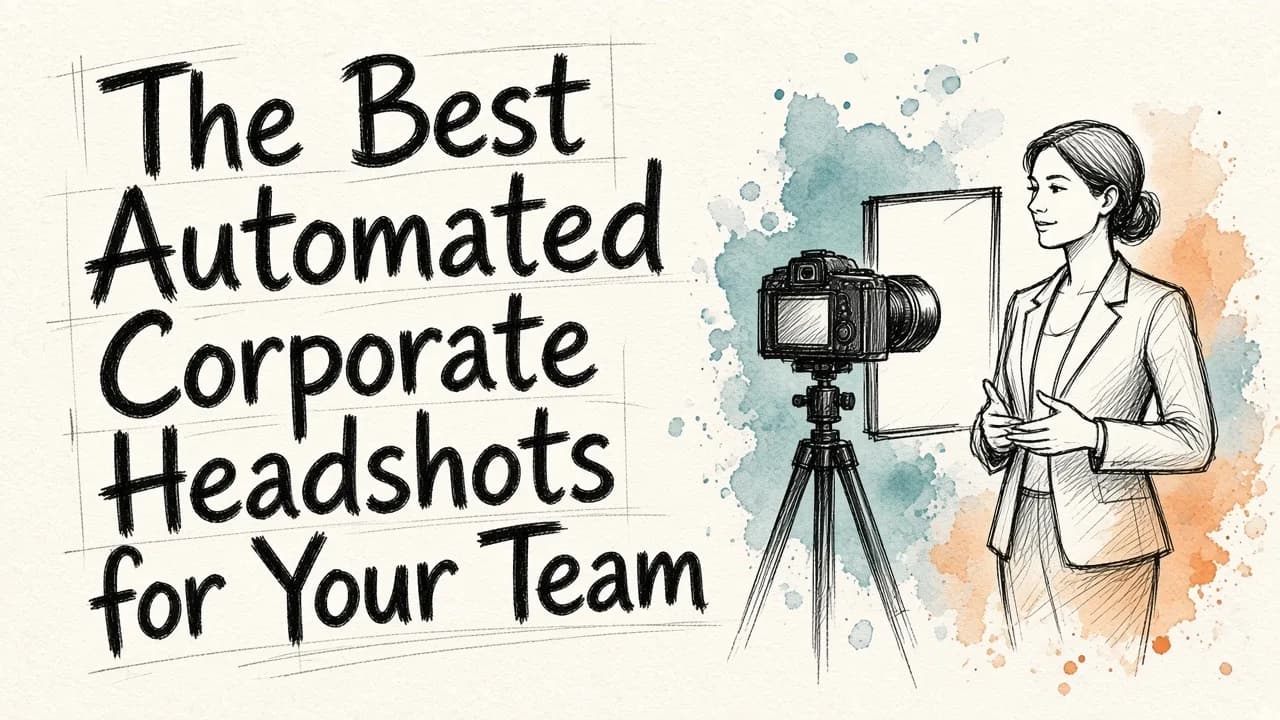
Finding the best automated corporate headshots for your team means looking for a solution that combines speed, cost-effectiveness, and hyper-realistic quality. Traditionally, organizing a corporate photoshoot involved hiring a photographer, booking a studio, coordinating schedules, and waiting weeks for edits. Today, the best automated corporate headshots are generated using advanced artificial intelligence that transforms casual everyday photos or basic selfies into polished, studio-quality business portraits in a matter of minutes. This technology allows organizations of all sizes to maintain a cohesive, professional brand image across LinkedIn, company directories, and marketing materials without the logistical headache of traditional photography.
As teams become more distributed and remote work continues to be the norm, the challenges of traditional photography have multiplied. It is no longer practical to fly remote employees to a central office just for a photo session, nor is it cost-effective to hire local photographers in dozens of different cities. Automated systems solve this challenge by democratizing high-quality imagery, allowing any team member with a smartphone to obtain a professional headshot from anywhere in the world.
The Real Cost of Traditional Corporate Photoshoots
To understand why automated headshots have grown so rapidly in popularity, it is helpful to look at the practical friction points of the traditional approach. A typical corporate photoshoot requires significant planning. Human resources or marketing managers must coordinate calendar invites for dozens of employees, find a photographer whose style matches the company brand, and reserve a physical space within the office that has adequate lighting.
When the day of the shoot arrives, productivity often drops. Employees must step away from their work, wait in lines, and try to look natural under intense studio lights. If an employee is sick or hired a week after the shoot, the company must either pay a hefty minimum fee to bring the photographer back or leave the new hire without a matching profile photo. This leads to a fragmented and unprofessional team page on the company website.
Furthermore, traditional photography costs add up quickly. Between licensing fees, retouching costs, and day rates, companies can spend thousands of dollars on a single batch of photos. If the company rebrands or decides to change the background style of their team page, the entire process must be repeated from scratch.
How AI Automation Solves the Team Portrait Dilemma
Automated headshot generators remove these obstacles by replacing physical cameras and lighting setups with sophisticated rendering engines. Instead of sitting for a live session, employees simply upload one or more existing photos of themselves. The automated system analyzes the facial structure, hair texture, and expression, then recreates the subject in a completely new, professional context.
The benefits of this shift are immediate:
- Instant Turnaround: Instead of waiting days or weeks for a photographer to edit and deliver files, automated platforms generate high-resolution portraits in minutes.
- Global Scalability: Whether your team members are in New York, Tokyo, or London, everyone gets access to the exact same high-quality tool. New hires can generate their headshots on their very first day of onboarding.
- Visual Consistency: You can select a uniform background, lighting style, and dress code for your entire organization. This ensures that your team page looks cohesive, rather than featuring a chaotic mix of outdoor snapshots, cropped wedding photos, and low-resolution selfies.
- Unmatched Flexibility: If your brand changes its color scheme, you do not need to schedule a new shoot. You can simply run the existing photos through the automated editor again with a new background setting.
What Defines the "Best" Automated Corporate Headshots?
Not all automated headshot tools are created equal. The market contains a wide variety of tools, ranging from basic filters to enterprise-grade AI models. When evaluating options for your team, look for the following quality indicators:
1. Photorealism and Detail Preservation
The most common issue with lower-quality AI generators is the "uncanny valley" effect, where the skin looks too smooth, the eyes look artificial, or the hair appears painted on. The best systems preserve the unique facial characteristics, skin textures, and expressions of your team members so they actually look like themselves.
2. Advanced Lighting Control
Professional portrait photographers use complex lighting configurations, such as three-point lighting, to add depth and dimension to a subject. Premium automated platforms simulate these lighting environments digitally, casting realistic highlights and shadows across the subject's face and shoulders to match the chosen background perfectly.
3. Sophisticated Wardrobe Modification
A great automated platform does more than just swap out the background; it can also replace casual clothing with professional attire. The AI should seamlessly blend suits, blazers, button-downs, or corporate casual outfits onto the user's frame, ensuring the clothing drape and collar lines look natural and proportionate.
4. Easy-to-Use Administrative Controls
If you are managing headshots for fifty or five hundred people, you need an organized way to distribute access, monitor progress, and download the finished assets. Look for platforms that offer simple team management features, allowing you to invite members via email and approve photos before they go live.
How the Automation Process Works
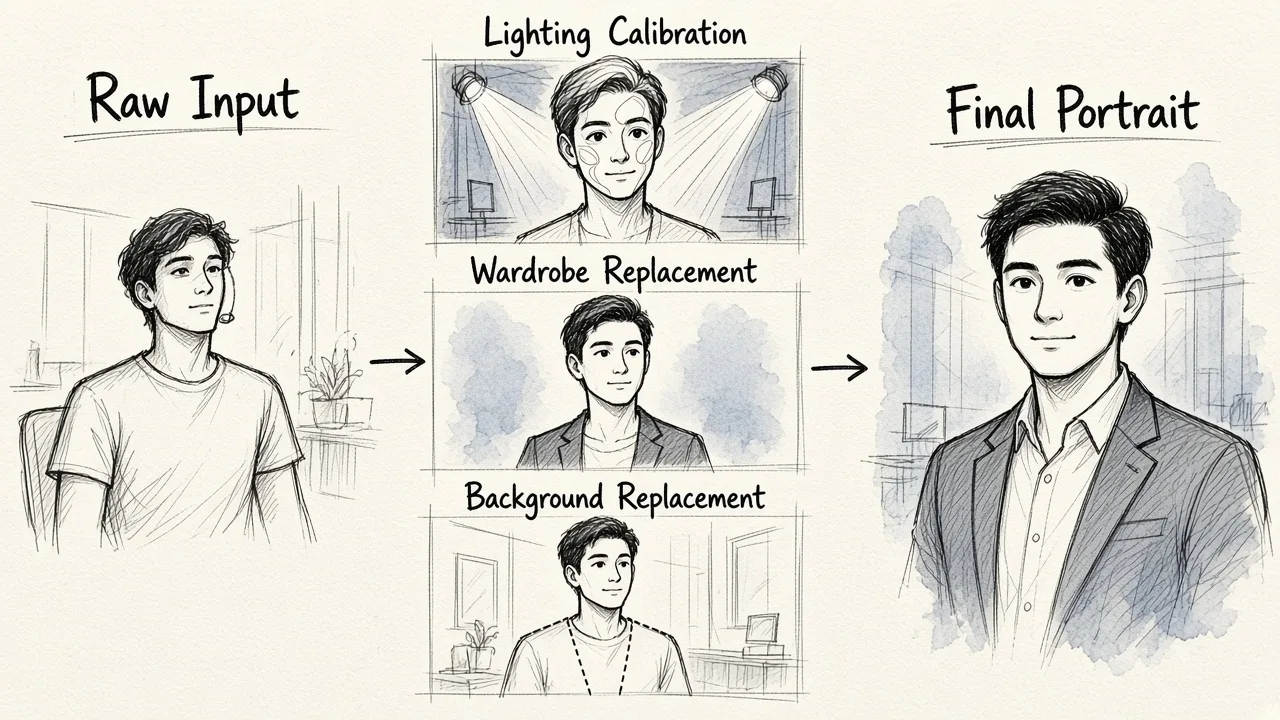
For the average employee, the process of getting a new headshot is incredibly simple. It typically involves three basic steps: uploading, customizing, and downloading.
First, the user uploads a few clear photos of themselves. These do not need to be professional shots; a simple selfie taken on a smartphone against a plain wall works perfectly. To help your team get the best possible starting images, you can share our guide on how to get professional portraits from photos, which walks users through selecting the ideal angles, lighting, and expressions.
Second, the platform processes the images. It removes the original background, adjusts the framing, corrects any uneven lighting, and applies the selected corporate attire and backdrop. Users can often choose from various styles, such as a modern loft office, a classic studio gray background, or a clean white backdrop.
Finally, the completed portrait is generated. The user or the team administrator can review the results, select the best version, and download it in high resolution. The entire workflow takes less time than a standard coffee break.
Integrating Automated Editing Into Your Workflow
While dedicated headshot generators are highly effective, many modern businesses prefer a comprehensive approach to their visual content. This is where an all-in-one creative platform becomes valuable.
Using EditorAI allows your company to handle not just headshot generation, but your entire suite of visual assets. Beyond generating clean business portraits, a versatile platform lets you remove unwanted objects from product photos, swap out backgrounds on marketing materials, and create clean ad layouts using simple text instructions.
For instance, once your team headshots are generated, you might want to place them into a presentation template or use them in social media graphics. Having access to a suite of tools at EditorAI means your marketing and creative teams can edit, refine, and repurpose those images without needing to switch between multiple expensive software subscriptions.
Best Practices for Launching Automated Headshots
To ensure your team rollout is a success, consider implementing the following best practices:
- Provide Clear Guidelines: Even though the AI handles the heavy lifting, the quality of the output is still tied to the quality of the input. Ask your team to upload photos that are sharp, well-lit, and free of sunglasses, hats, or heavy filters.
- Define Your Brand Standard: Decide on a unified aesthetic before your team starts generating photos. Do you want a warm, casual look with a blurred office background, or a highly formal look with a neutral studio backdrop? Setting these expectations early avoids a mismatched directory.
- Keep an Asset Library: Store all generated headshots in a shared corporate drive. This makes it easy for your design and marketing teams to access high-quality team photos whenever they need to create pitch decks, press releases, or speaker bios for conferences.
The Future of Corporate Branding
The demand for high-quality, authentic visual content is higher than ever. Clients, partners, and prospects want to see the real faces behind the businesses they work with. A polished team page builds trust, humanizes your brand, and sets a high standard of professionalism.
By adopting automated headshot technology, you remove the cost, scheduling conflicts, and logistical pain points that used to make team photography a chore. Whether you are a growing startup looking to establish your brand or an established enterprise managing thousands of global employees, automated tools provide a scalable, consistent, and affordable path to perfect corporate imagery.
Platforms like EditorAI are leading this transition by providing accessible, powerful AI editing tools that simplify how businesses manage their visual assets. Investing in automated corporate headshots is no longer just a trend; it is a smart, practical step toward building a cohesive and modern digital identity for your team.