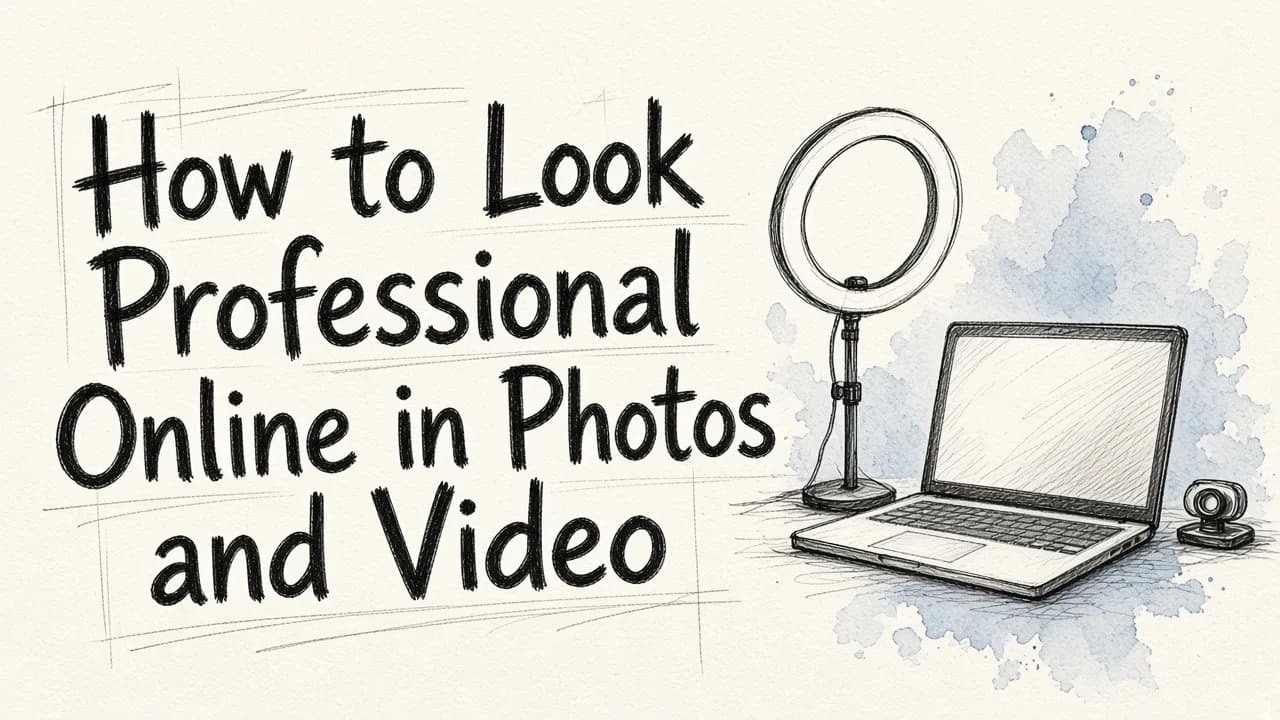
To look professional online, you must present a highly polished, consistent, and intentional visual presence across all digital channels, which means using sharp profile photos, eliminating visual clutter, utilizing clear lighting, and maintaining clean backgrounds in both static images and video setups. In an era dominated by remote work, virtual networking, and digital-first interactions, your online appearance serves as your digital handshake. Whether you are connecting with potential clients on LinkedIn, conducting virtual team meetings, or building a personal brand, the visual signals you send can either build instant trust or inadvertently undermine your authority.
Achieving a polished digital presence does not require a Hollywood production crew or thousands of dollars in high-end photography gear. By understanding the fundamentals of lighting, framing, and visual composition, you can elevate your image and video quality using the tools you already have. Let us explore the practical steps you can take to present your absolute best self on the internet.
The Anatomy of a Professional Profile Picture
Your profile picture is often the very first thing people see when they search for your name or receive an email from you. To ensure it makes a positive impression, you must pay attention to three critical elements: framing, lighting, and expression.
First, consider your framing. A professional headshot should generally be cropped from the chest up. If the frame is too close, it can feel aggressive and unnatural; if it is too far away, your facial features become difficult to distinguish on smaller screens, such as mobile devices. Your eyes should be positioned roughly one-third of the way down from the top of the frame, ensuring a balanced composition.
Second, lighting is the single most important factor in image quality. Avoid harsh overhead lighting, which creates deep shadows under your eyes and nose. Instead, opt for soft, diffused light. Positioning yourself in front of a large window is one of the easiest ways to get high-quality, flattering light for free. If natural light is not available, place a desk lamp slightly to the side and behind your camera, rather than directly above you or pointed straight at your face.
Third, aim for an approachable and confident expression. A slight smile that reaches your eyes communicates warmth and professionalism. Look directly into the camera lens rather than at the screen to establish virtual eye contact with the viewer. Dressing in solid, neutral colors or classic professional attire also prevents your outfit from distracting from your face.
If you do not have a professional photo readily available, you can easily create one using modern digital tools. For step-by-step guidance, you can read our guide on how to create a business profile picture with AI.
Transforming Casual Photos into Business-Ready Portraits
Many professionals find themselves in need of a high-quality portrait but only have casual snapshots from family gatherings, vacations, or informal events. Fortunately, you do not need to schedule a professional photo shoot to get a high-quality result. You can take an existing, well-lit photo and transform it into a polished asset.
When selecting a casual photo to convert into a professional portrait, look for an image where your face is in sharp focus and your expression is natural. Avoid photos that are blurry, heavily pixelated, or taken in extremely dim environments, as these are difficult to salvage even with advanced editing.
Once you have selected a solid base photo, the next step is to clean up the composition. This involves removing other people from the background, cropping the image to a standard headshot aspect ratio, and replacing distracting backdrops with a clean, professional studio setting.
With modern technology, this transformation can be completed in just a few clicks. To learn more about this process, you can explore our detailed walkthrough on how to get professional portraits from photos. Using the intuitive platform at EditorAI, you can easily remove distracting background objects, adjust the exposure, and generate a clean, studio-quality backdrop that elevates your casual photo into a premium asset.
Professionalizing Your Video Presence
With the rise of video conferencing, virtual interviews, and video-based content marketing, how you look on camera in real-time is just as important as your static headshot. Creating a professional video presence requires a few simple adjustments to your environment and hardware setup.
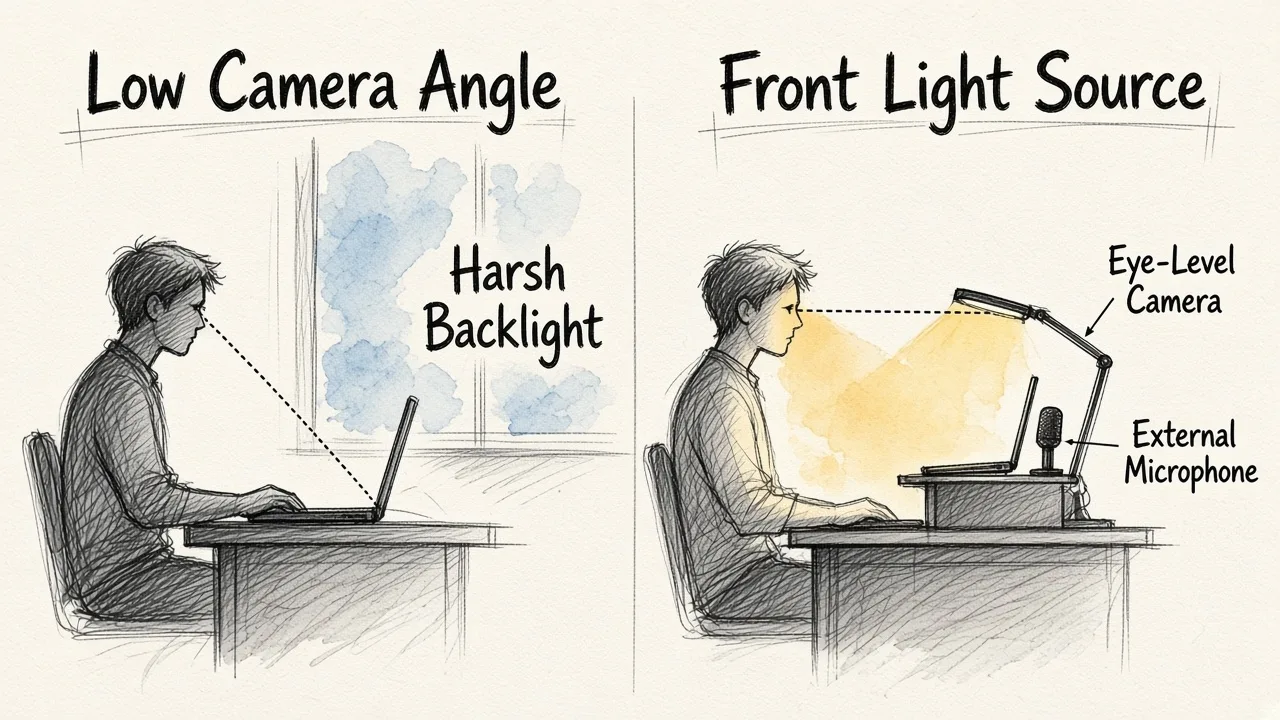
Camera positioning is the first thing you should address. Most people leave their laptops flat on their desks, which forces the camera to look up at them from a low, unflattering angle. This perspective can make you look distant and can emphasize double chins or messy ceilings. To fix this, raise your camera so that it is positioned exactly at eye level. You can use a dedicated laptop stand, a tripod, or even a stack of sturdy books to achieve the correct height.
Next, focus on your video lighting. Never sit with a bright window directly behind you. This creates a strong silhouette effect, leaving your face completely in the dark. Instead, position the window in front of you or at a forty-five-degree angle to illuminate your face evenly. If you frequently join video calls in the evening or in a windowless room, consider investing in a small, affordable LED light panel or a ring light to maintain consistent visibility.
Additionally, pay close attention to your audio quality. Many people focus entirely on how they look while ignoring how they sound. Poor audio is highly fatiguing for listeners and can quickly ruin an otherwise professional video call. Avoid using your computer's built-in microphone, which often picks up ambient room noise and keyboard clicks. Instead, use a dedicated external microphone or a high-quality headset to ensure your voice is crisp and clear.
Upgrading and Cleaning Your Video Backgrounds
The environment behind you on a video call tells a story about your professionalism, attention to detail, and organizational skills. A cluttered background with laundry, unwashed dishes, or busy walkways can distract your audience and weaken your message.
If you are working from a home office or a shared space, try to set up your desk so that your background is as simple and neutral as possible. A plain wall, a tidy bookshelf, or a tastefully arranged plant can provide a professional, pleasant backdrop without drawing attention away from you.
When your physical environment cannot be easily tidied or rearranged, digital tools can help you maintain a polished appearance. Many video conferencing platforms offer background blurring features. A subtle, natural-looking blur is often highly effective because it hides clutter while maintaining a realistic sense of depth. Avoid using overly bright, cartoonish, or low-quality virtual backgrounds, as these often look cheap and can cause distracting visual glitches around your head and shoulders when you move.
For recorded video content, presentations, or marketing clips, you can use post-production tools to clean up the frame. Removing stray items from a desk, correcting the color balance, and ensuring consistent lighting across your clips can make a massive difference in how viewers perceive your brand and expertise.
Standardizing Team Aesthetics Online
For businesses, maintaining a professional online presence is not just an individual responsibility: it is a company-wide requirement. When a potential client visits your team page or looks up your employees on LinkedIn, seeing a chaotic mix of low-resolution selfies, vacation photos, and outdated headshots can erode your company's credibility.
Establishing visual consistency across your organization helps build a cohesive, reliable, and trustworthy brand. To achieve this, companies should establish clear visual guidelines for team photos. This includes defining a consistent color palette, specifying a preferred background style (such as neutral grey or a subtle office setting), and outlining expectations for professional attire.
Coordinating traditional photo shoots for a growing or fully remote team can be incredibly difficult and expensive. Managing scheduling conflicts, hiring local photographers in different cities, and maintaining consistent quality across various locations is a logistical challenge.
Fortunately, modern organizations are turning to automated digital solutions to solve this problem. If you want to streamline this workflow for your business, check out our guide on the best automated corporate headshots for your team to see how you can achieve a unified, polished look across your entire company directory without the stress of physical photo shoots.
Leveraging AI for Rapid Digital Polishing
Achieving a professional online image used to require hours of manual editing, expensive graphic design software, or professional studio sessions. Today, artificial intelligence has completely democratized this process, making it possible for anyone to create stunning visual content in seconds.
Whether you need to instantly swap out a cluttered room for a sleek corporate background, remove unwanted objects from a marketing image, or generate high-quality headshots from simple smartphone selfies, AI handles the complex editing tasks for you. This allows you to focus on your core work while maintaining an elite digital presence.
At EditorAI, we provide an all-in-one suite of AI-powered creative tools designed to help you clean up images, edit videos, and generate high-quality marketing assets using simple text descriptions. By integrating these advanced capabilities into your daily workflow, you can easily ensure that every photo, video, and presentation you share with the world meets the highest standards of professional quality.
A Practical Checklist for Daily Online Professionalism
To keep your digital presence consistently polished, use these quick checklists before you publish a new photo or join an important video call.
The Photo Checklist
- Resolution: Is the image sharp, clear, and free of visible pixelation or blur?
- Framing: Is your face centered, with the crop starting around your chest?
- Lighting: Is your face evenly illuminated without harsh shadows or strong backlighting?
- Background: Is the background clean, professional, and free of distracting objects?
- Expression: Do you look confident, friendly, and approachable?
The Video Call Checklist
- Camera Height: Is your webcam positioned at eye level so you are looking directly at your audience?
- Lighting Source: Is your primary light source in front of you, rather than directly behind you?
- Audio Source: Have you selected your high-quality external microphone or headset in your settings?
- Background Check: Have you checked your physical background for clutter, or enabled a subtle digital blur?
- Connectivity: Have you closed unnecessary background applications to prevent video lag or freezing during the call?
By paying attention to these small details and utilizing the right digital tools, you can ensure that your online presence always reflects your professional competence and dedication to quality.