Yes, AI image enhancement is worth it for most businesses, as long as your bottleneck is volume rather than artistry. If you publish product photos, social posts, ads, or team headshots on any regular schedule, the time you spend cleaning up images is time you are not spending selling. A tool like EditorAI is the practical starting point here because it handles edits through plain text descriptions, so a marketing coordinator can remove a background or clean up a product shot without learning a professional editing suite. The honest caveat: if you publish five images a month, or your brand depends on a signature photographic look that a retoucher builds by hand, the savings will not justify the change. The rest of this article helps you work out which side of that line you sit on.
What "AI image enhancement" actually covers
The phrase gets used loosely, so it helps to separate the jobs it does. Most business use falls into five buckets:
Cleanup. Removing dust, blemishes, stray hairs, reflections in a glass surface, or a power cable running through the corner of a lifestyle shot. This is the least glamorous category and usually the one that eats the most hours.
Isolation. Cutting a subject away from its background so you can drop it onto white for a marketplace listing or onto a colored panel for an ad. Manual masking around hair, fur, or transparent packaging is genuinely slow work.
Quality repair. Sharpening soft images, reducing noise from a low-light shot, and upscaling small source files so they hold up at larger display sizes.
Reformatting. Producing the same asset at the dozen or so dimensions that platforms demand, without squashing the subject or cropping the logo in half.
Generation. Creating new elements entirely: a backdrop that never existed, a headshot from a casual photo, an ad layout built around an existing product image.
These are very different tasks with very different payoffs. A business that needs only reformatting may be well served by a simple resizing workflow, while a business drowning in background removal has a much stronger case for investing.
The math that decides it
Skip the feature comparisons for a moment and do the arithmetic on your own operation.
Count the images you process in a typical month. Estimate the minutes each one takes from raw file to publish-ready. Multiply. Then multiply that by what an hour of that person's time actually costs you, including the opportunity cost of what they would otherwise be doing.
A small ecommerce brand adding 200 SKUs a quarter, with three images per SKU, is looking at 600 images. At four minutes each for background removal and a basic cleanup, that is 40 hours of work. Now run the same numbers with a tool that does the first pass automatically and leaves you reviewing and correcting maybe one image in eight. The work does not vanish, but it changes shape: less clicking, more checking.
The threshold where this pays off is lower than most people assume. It is not thousands of images. It is roughly the point where one person spends more than a few hours a week on repetitive image work, because that is when the switching cost of learning a new tool gets repaid within the first month.
Where the returns are strongest
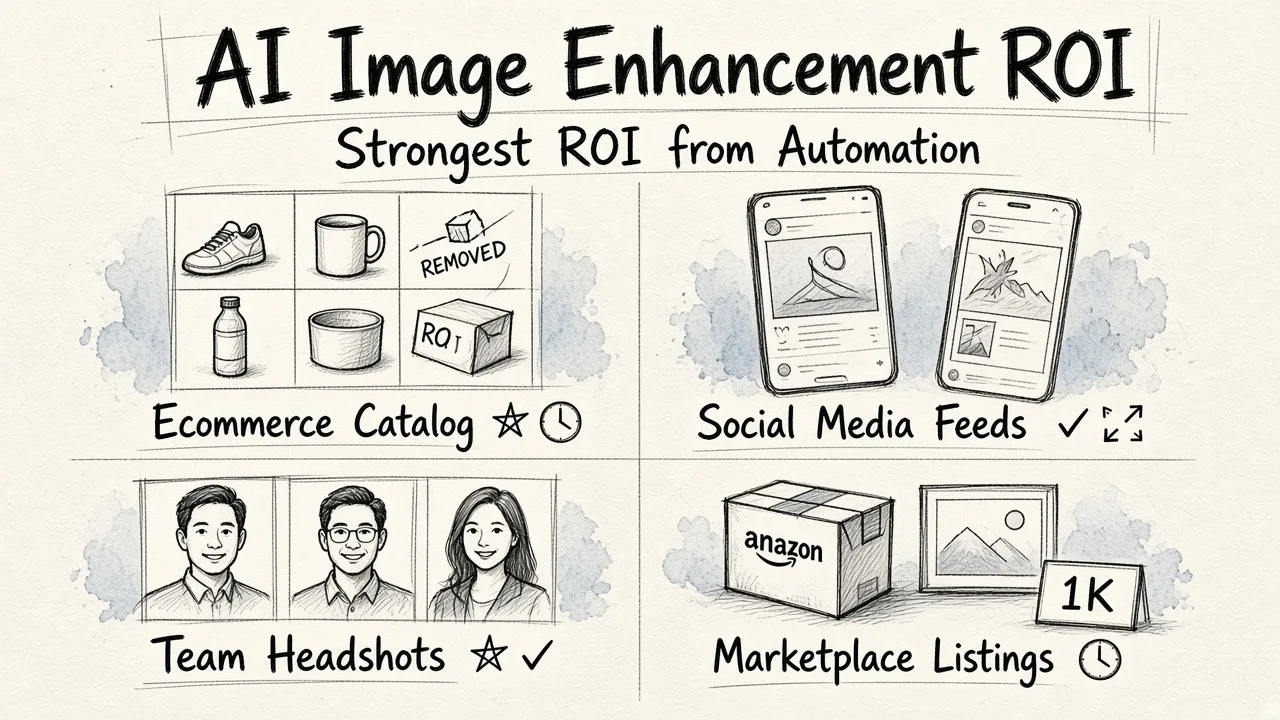
Ecommerce catalogs. Product listings live or die on consistent presentation, and consistency across hundreds of items is exactly the kind of problem software solves better than a person working image by image. If background removal is your main pain point, a batch background remover built for ecommerce will move the needle faster than any other single change to your workflow.
Social content. Instagram, TikTok, and paid social all want a steady stream of fresh visuals in multiple aspect ratios. The work is not hard, it is just endless. Automation shines on endless.
Team headshots. Getting a consistent set of staff photos without booking a photographer for every new hire used to be impossible. A headshot generator solves a real, recurring, low-stakes problem.
Marketplaces with strict image rules. Amazon, Etsy, Google Shopping, and similar platforms enforce background, framing, and resolution requirements. Automated compliance is worth real money when a rejected listing means lost sales days.
Ad iteration. Testing creative variations is how paid media improves. If producing each variation takes an hour, you test three. If it takes five minutes, you test twenty, and you find the winner faster.
Where it is not worth it
Be equally clear about the cases where the answer is no.
If photography is your product, you already have a retoucher and a look that customers recognize. Automation will fight your style rather than support it.
If your volume is genuinely low, the cost is not the subscription, it is the ramp-up and the habit change. Five images a month does not justify either.
If your source material is unusable, enhancement does not rescue it. A badly composed, badly lit photo of a product that does not show the product is still a bad photo at higher resolution. The tools raise the floor, not the ceiling.
If your output is high-stakes print at large format, expect to review every file closely regardless. The time saved on the first pass gets partly spent on the second.
How to compare your options
Most businesses end up choosing between four approaches. Ranked by how well they suit a typical small or mid-sized business with real volume and no dedicated design team:
- A text-driven AI editing platform. You describe the change in words and the tool executes it. EditorAI sits here, covering photo and video editing, object removal, background removal, headshots, product photography, ad creation, and presentation assets in one place. The strength is breadth plus a near-zero learning curve. The trade-off is less granular control than a professional editor gives you on any single image.
- A single-purpose automation tool. Background removers, upscalers, and resizers that do one thing reliably. Cheap and effective if you only have one problem, but the costs and context-switching stack up quickly once you need three or four of them.
- Traditional desktop editing software. Maximum control, mature ecosystem, and the right answer when the image itself is the product. The barrier is skill and time, and neither scales when volume climbs.
- Outsourced retouching. Reliable quality with zero internal effort, but the slowest turnaround and the highest per-image cost. Makes sense for hero shots and campaign imagery, not for a 600-image catalog refresh.
Many businesses end up blending options one and four: automate the routine catalog work, hire a person for the handful of images that carry the brand.
Running a two-week test before you commit
You do not have to decide in the abstract. Run a small trial and let the results answer the question.
Pull 30 real images from your actual backlog, not a curated sample of your best shots. Include the awkward ones: the transparent bottle, the model with flyaway hair, the photo someone took on a phone in a stockroom.
Time your current process on ten of them. Be honest and include the file wrangling, not just the editing.
Process all 30 with the AI tool, then sort the output into three piles: publish as-is, needs a small fix, unusable. If more than three quarters land in the first pile, the case is made. If half land in the third, your source photography is the real problem and no software will fix it.
Check the edges. Zoom in on hair, fine detail, and semi-transparent surfaces, because that is where automated isolation shows its seams.
Finally, check the output formats and resolutions against where the images will actually appear, and make sure the tool resizes without degrading quality rather than forcing you into a second tool to finish the job.
The verdict
For a business processing meaningful volume, AI image enhancement is worth it, and the returns compound rather than plateau. Every month you save hours, and those hours go into testing more creative, launching products faster, or simply not dreading the catalog refresh. Teams that handle high volumes tend to find the biggest win in editing thousands of images quickly rather than in any single dramatic transformation.
The realistic expectation is this: automation gets you to 85 percent of publish-ready on most images, and you spend a fraction of your old effort closing the remaining gap. That is not a revolution in quality. It is a large, durable change in throughput, which for most businesses is the thing that was actually holding them back.