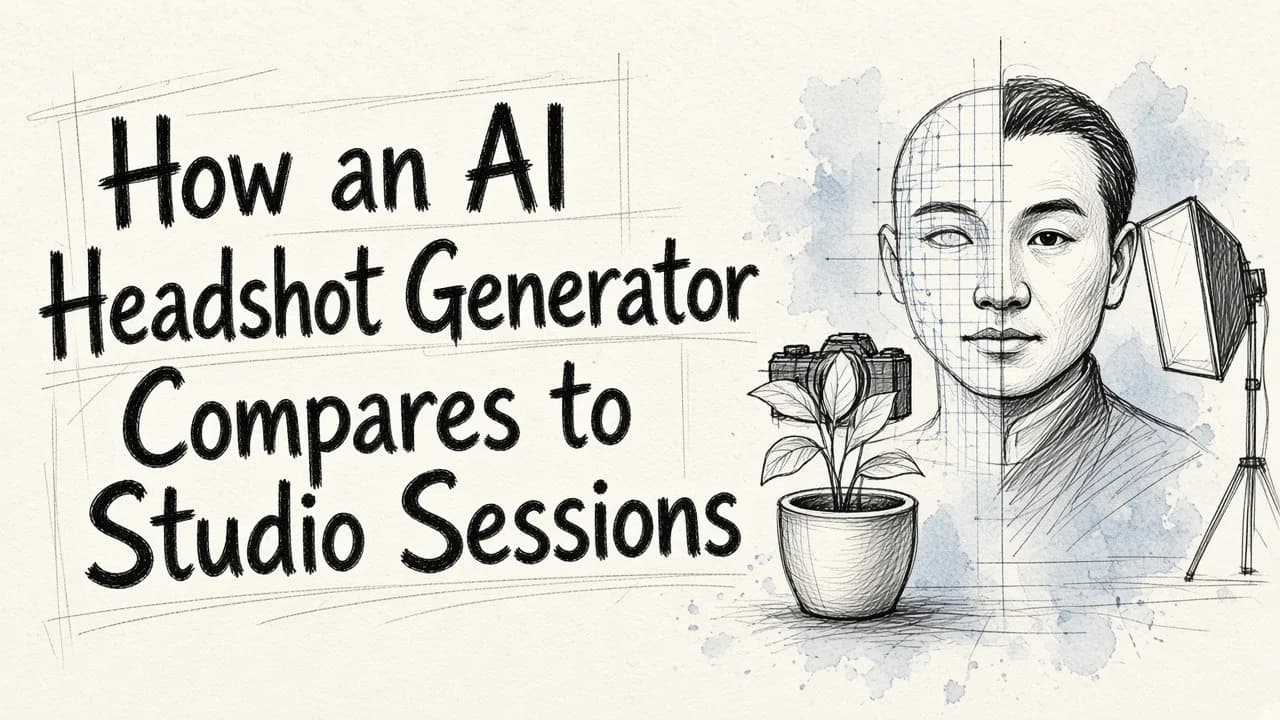
An AI headshot generator compares to a studio photo session by delivering dozens of high-resolution corporate portraits in minutes for under $100 without physical scheduling, whereas a traditional studio session offers bespoke human direction and guaranteed likeness at a much higher price point.
Professional headshots remain an essential part of personal branding. Most career advisors recommend updating your business photos every two to three years. Facial features change, styles evolve, and your online presence needs to match what people see when meeting you in person. For decades, the only path to a quality portrait was booking a local studio, hiring a photographer, selecting a wardrobe, and waiting days or weeks for proofs.
Today, generative artificial intelligence provides an alternative. By training algorithms on existing photos, an AI headshot generator can synthesize professional business attire, balanced studio lighting, and clean office backgrounds in less time than it takes to drive to an appointment. Understanding how these synthetic portraits stack up against real-world photo shoots will help you decide which approach fits your budget, timeline, and quality expectations.
Headshot Generator vs. Studio Session: Quick Comparison
| Feature | AI Headshot Generator | Traditional Studio Session |
|---|---|---|
| Typical Cost | $15 to $75 | $200 to $1,000+ |
| Turnaround Time | 30 seconds to 48 hours | 3 to 14 days |
| Time Required from You | 5 to 15 minutes of photo uploads | 1 to 3 hours (prep, travel, shoot) |
| Output Volume | 20 to 200+ images | 3 to 10 retouched finals |
| Likeness Accuracy | 70% to 90% (depends on model and inputs) | 100% true-to-life |
| Wardrobe & Location | Virtual variations generated on demand | Limited to what you physically bring |
| Custom Retouching | Varies; automated or text-prompt edits | Manual retouching by the photographer |
When evaluating the financial side of this choice, it helps to look closely at understanding the cost of virtual photography across different corporate and personal use cases.
Core Differences: AI Portraits vs. In-Person Photographers
1. Cost and Resource Investment
A professional photographer must factor in studio rent, high-end camera equipment, lighting rigs, insurance, and the hours spent manually retouching individual images. As a result, even a basic studio session rarely costs less than $200, with executive portraits frequently exceeding $500 to $1,000.
By contrast, an AI headshot generator relies on automated server computation. Most consumer services charge a one-time fee between $17 and $75, while some design platforms offer subscription access starting at $9.99 per week. For self-employed individuals or job seekers on a strict budget, the price difference makes AI an attractive starting point.
2. Turnaround Speed and Logistics
Coordinating a studio shoot requires aligning your schedule with a photographer, traveling to a location, and waiting for proofs to be processed. In urgent situations, such as receiving a sudden speaking invitation or needing an updated resume portrait by tomorrow morning, studio timelines can be a bottleneck.
AI generators work almost immediately. Some tools produce single-image transformations in under 30 seconds. Multi-image model training runs usually deliver full image sets in 60 minutes to 48 hours. The entire process takes place from your phone or desktop computer.
3. Likeness and the Coffee Shop Test
The biggest hurdle for artificial intelligence is the likeness test: would someone recognize you in a coffee shop based solely on your profile picture?
A camera captures exact physical reality. An experienced photographer knows how to position your jawline, adjust softboxes, and capture a genuine micro-expression. AI tools, however, synthesize a mathematical approximation of your face. While algorithms have improved substantially, they can still introduce subtle distortions, such as hyper-smoothed skin, unnatural eye reflections, or alterations to distinctive dental and facial traits.
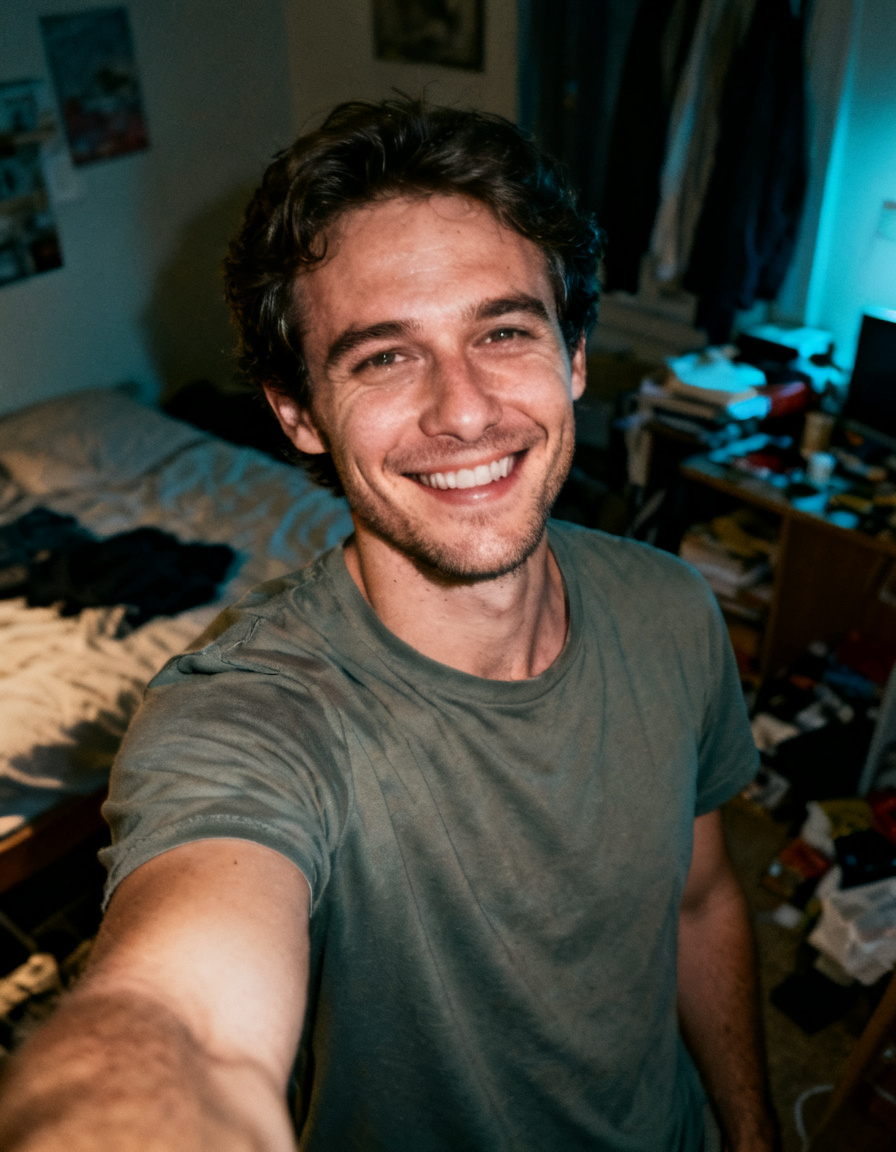
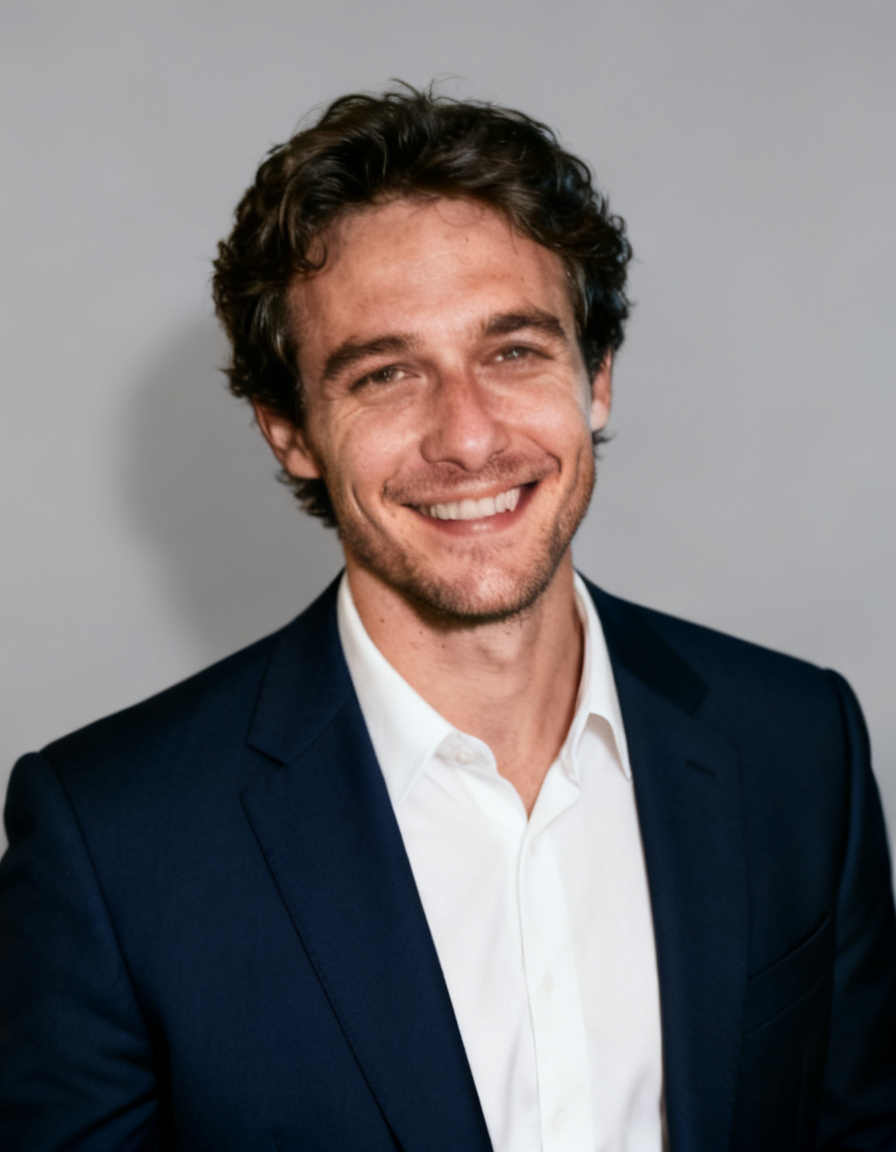
If you know how to get professional portraits from photos by feeding the engine clear, varied, unedited source files, likeness accuracy improves dramatically. However, studio photography remains superior for capturing genuine, nuanced human expression.
How an AI Headshot Generator Works
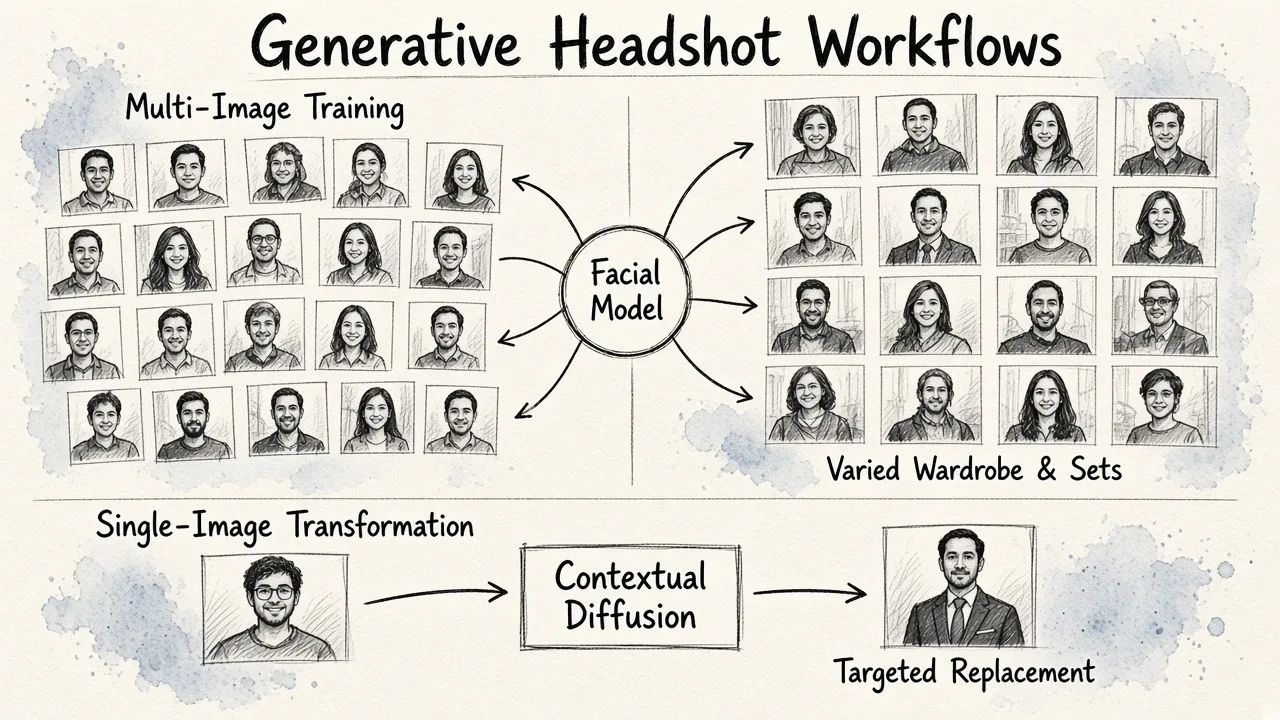
Modern headshot tools generally operate in one of two ways:
- Multi-Image Model Training: You upload between 7 and 40 photos of yourself from different angles, showing natural lighting, neutral expressions, and no obstructions like sunglasses. The system trains an isolated model on your facial architecture, then generates 30 to 200 variations across different simulated outfits, poses, and backgrounds.
- Single-Image Face Transformation: You upload one clear, front-facing portrait. The tool uses contextual diffusion to swap the casual outfit for corporate attire and replace the domestic background with a professional studio backdrop while keeping your core facial structure intact.
Platforms built on modern web software allow you to take these generations further with selective text editing, background replacement, and object removal.
5 Leading AI Headshot Options Reviewed
If you are exploring the market for an AI headshot generator, several dedicated tools and platforms have emerged. Here is an honest breakdown of the top options.
1. EditorAI
EditorAI provides an integrated creative suite designed for individuals and marketing teams who need precise control over their visual assets. Rather than forcing you into rigid templates, it pairs realistic portrait generation with natural language editing, background removal, and object replacement.
- Pricing: Tiered access with flexible credits depending on editing volume.
- Turnaround: Near real-time generation in seconds.
- Pros: Complete control after generation. You can adjust lighting, swap backgrounds, and refine clothing details using text instructions without starting from scratch.
- Cons: Requires a clear initial photo to deliver the most accurate portrait quality.
2. HeadshotPro
HeadshotPro is one of the most widely used platforms for individual professionals and distributed business teams. It generates large batches of portraits across varied backdrops, from contemporary office interiors to outdoor parks.
- Pricing: Packages typically range from $29 to $59 depending on the volume of outputs.
- Turnaround: Between 2 and 4 hours.
- Pros: Generates between 32 and 128 images per run with an extensive variety of clothing styles and backdrop settings.
- Cons: Backgrounds can occasionally look synthetic or out of focus, and certain outputs may diverge from your natural facial structure.
3. Aragon.ai
Aragon.ai is a established standalone generator popular across social media and job-seeking networks. It asks users for a batch of selfies to build a customized profile.
- Pricing: Tiered packages running from $35 to $75.
- Turnaround: Approximately 60 to 120 minutes.
- Pros: Delivers between 40 and 100 variations with multiple framing cuts, including close-ups and three-quarter portraits.
- Cons: Output consistency varies widely. While several images look polished, others in the batch may contain noticeable visual artifacts around hair, hands, or collars.
4. TryItOn AI
TryItOn gained initial popularity through viral social media trends and provides an entry-level avenue for testing algorithmic portraits on a modest budget.
- Pricing: Entry tier at approximately $17 for 100 generated portraits.
- Turnaround: Varies from a few hours up to 24 to 48 hours during peak demand.
- Pros: Very low upfront cost, clear terms regarding image ownership, and a generous number of generated variations.
- Cons: Likeness retention can be hit or miss. Users frequently encounter anatomical oddities, such as misaligned teeth or minor background distortions, requiring you to filter carefully.
5. Adobe Firefly
Adobe Firefly takes a different approach by focusing on generative fill and single-image adjustments rather than automated bulk packaging.
- Pricing: Included in Adobe Creative Cloud plans or via standalone credit subscriptions.
- Turnaround: Instant (seconds per generation).
- Pros: High-resolution output, strong enterprise-level copyright protections, and granular control over individual elements of the portrait.
- Cons: Requires more hands-on manipulation from the user to dial in clothing, backdrops, and lighting compared to automated headshot packaging tools.
Deploying Headshots for Remote and Hybrid Teams
For companies managing distributed teams across different cities or countries, physical studio sessions present a massive logistical hurdle. Booking regional photographers, coordinating reimbursement invoices, and enforcing consistent brand styles often consumes weeks of administrative work.
Using an AI workflow allows HR and marketing managers to standardize portraits across the entire organization. Every team member uploads their raw photos, and the generator applies identical lighting, backdrop colors, and focal lengths. If your company is looking to scale company-wide assets, reviewing strategies for the best automated corporate headshots for your team will help you establish consistent guidelines.
How to Get the Best Results from an AI Generator
If you choose to use an AI tool, your output quality depends entirely on the input images you provide. Follow these practical rules:
- Skip the filters: Never upload images that have already been modified by social media filters or skin-smoothing tools.
- Use balanced lighting: Choose photos taken near natural window light or under soft illumination without harsh shadows bisecting your face.
- Keep eye wear simple: Take off sunglasses and hats. If you wear prescription glasses every day, ensure the frames do not cause glare over your pupils.
- Vary angles and expressions: When an engine requires 10 or more images, upload subtle differences in head tilts, smiles, and background contexts to help the algorithm map your three-dimensional facial structure.
Once you have generated your headshot, you can use post-processing to clean up minor artifacts, adjust background contrast, and crop the image properly for different networks. For step-by-step guidance on final image prep, read how to create a business profile picture with AI.
The Verdict: Which Option Should You Choose?
Choose a traditional studio session if:
- You are an executive, public speaker, or author whose visual identity is central to major media releases and print publications.
- You need exact, undeniable physical likeness with complex, customized poses.
- You prefer direct creative collaboration with an experienced portrait photographer.
Choose an AI headshot generator if:
- You need an immediate, high-quality update for LinkedIn, resumes, or company directories.
- You want to spend less than $100 while obtaining dozens of wardrobe and background variations.
- You run a distributed team and need consistent, professional portrait branding without booking multiple photography studios worldwide.
AI portrait tools are not meant to eliminate fine-art photography, but they have fundamentally solved the problem of convenience, speed, and cost for modern workplace headshots.